

Status Notice: CoinSmart no longer operates as a separate platform. WonderFi announced on September 8, 2023 that Bitbuy would take over all CoinSmart client accounts, and coinsmart.com now serves the Bitbuy site with the banner that Bitbuy is part of Robinhood. CoinSmart takes no new sign-ups. The best alternative on my ranking for CAD funding and a broad coin list is NDAX (open an account). This review is kept for reference and keeps my hands-on notes from when it operated.
CoinSmart was a Toronto exchange built for Canadians that also took USD and EUR deposits, with same-day verification and an OTC desk for trades over $25,000. Its accounts were moved to Bitbuy after a 2023 deal, FINTRAC lists SIMPLY DIGITAL TECHNOLOGIES INC. (CoinSmart) as ceased on 2024-09-10, and its CSA decisions are listed as expired. In my own test it was expensive on small trades. There is nothing left to sign up for.
| Detail | Info |
|---|---|
| Status | Merged. WonderFi announced Bitbuy would buy all CoinSmart client accounts on September 8, 2023 |
| CSA | Expired decisions: original decision October 21, 2021, amended and restated December 21, 2021 |
| FINTRAC | SIMPLY DIGITAL TECHNOLOGIES INC. (CoinSmart) shows as ceased on 2024-09-10 |
| Successor | Bitbuy, then Coinsquare Capital Markets Ltd., now under Robinhood |
| What It Charged | 0.20% per trade, 1.5% Interac fee under $2,000, 1% withdrawal fee, up to 6% on cards |
| Funding | CAD (Interac, wire, bank draft), EUR (SEPA, wire), USD (wire) |
| Rating When It Was Open | 9.8/10 in my original review |
What Happened To CoinSmart?
CoinSmart's parent was acquired by WonderFi, and in September 2023 WonderFi announced that Bitbuy would buy every CoinSmart client account. After that, CoinSmart stopped operating separately. Bitbuy later moved its own accounts to Coinsquare Capital Markets Ltd., and Robinhood closed its WonderFi purchase on June 1, 2026. The old coinsmart.com address now shows the Bitbuy site. See the Coinsquare review for what that migration looks like.
If you still hold an old CoinSmart account, you were moved with the others. Download your statements and tax history before any app is retired, because you need them for the CRA.
Here is the video I made when CoinSmart was open. It is kept as a record of the old platform.
How Much Did It Really Cost To Trade With CoinSmart?
I ran a real test. I deposited $100 CAD by Interac e-Transfer. After the 1.5% deposit fee, $98.50 was credited. I bought Bitcoin with the full amount and received 0.00356705 BTC, valued at $96.15, so trading fees and spread cost $2.35, or 2.38%. In total I lost $3.85, or 3.85%, on the buy.
Then I sold the Bitcoin back and received $96.11, a loss of only $0.04. Withdrawing to my bank by Interac cost a $15 flat fee, leaving $81.11. That is a 16% withdrawal fee on a small amount. The spread I saw on Bitcoin was 2.1%, while on Bitbuy at the time it was 0.24%.
| Step | Result |
|---|---|
| Deposit by Interac e-Transfer | $98.50 credited after the 1.5% fee |
| Buy Bitcoin | $96.15 of BTC, a 2.38% cost |
| Sell back to CAD | $96.11 |
| Withdraw to bank by Interac | $81.11 after a $15 fee |
The lesson was that CoinSmart suited larger trades. Deposits over $2,000 were free by Interac and a flat withdrawal fee matters less when it is spread over a bigger amount.
What Did CoinSmart Offer?

CoinSmart is marketed as being “designed for beginners and built for experts,” offering something for everyone. You can trade a variety of cryptocurrencies, including Bitcoin, Ethereum, Litecoin, Bitcoin Cash, EOS, Stellar Lumens, USDC, Dogecoin, SHIB, Cardano, Polkadot, Solana, and more.
The platform stands out for its no deposit fees when using wire transfers or bank drafts, making it a cost-effective option. However, Interac e-Transfers under $2,000 incur a fee, and purchasing with credit or debit cards can cost up to 6%, so choosing the right funding method is key to saving money.
For international users, EUR deposits via SEPA, wire, and bank drafts are free, while USD deposits are accepted via wire transfer. Impressively, all deposits are processed on the same day, making CoinSmart a convenient choice for quick trading access.
CoinSmart offers a full knowledge center on its website, packed with articles, guides, and how-to resources, showing a clear commitment to educating its users. As someone who’s been in the crypto space since 2016, I truly value platforms that emphasize informed decision-making. CoinSmart takes it a step further with unique features like a mining calculator, which helps users estimate potential earnings, and a “learn and earn” program. By answering quiz questions, users can earn rewards, a thoughtful way to engage both new and existing customers while helping beginners kickstart their crypto journey.
For those looking to make large trades over $25,000, CoinSmart offers a premium Over-the-Counter (OTC) service. This option provides a dedicated account manager and access to competitive pricing. Their OTC Desk supports multiple fiat currencies, including CAD, GBP, EUR, JPY, and USD, making it versatile for international traders.
Another standout feature is the ability to trade altcoin-to-altcoin without first converting to Bitcoin or Ethereum, something few exchanges offer. CoinSmart also provides 24/7 customer support and a feature called SmartPay, allowing users to invoice in crypto and instantly convert it to fiat or hold it in their account. This makes it a practical solution for individuals and businesses alike.
CoinSmart caters to Canadian and European residents, supporting deposits in CAD, USD, and EUR, providing flexibility for traders in these regions.
How Did CoinSmart Registration And Verification Work?
CoinSmart follows the usual verification process. It’s necessary to submit an ID to help prevent fraud and money laundering.
CoinSmart asks simple questions about your investment objectives and your profession. These types of questions are common when signing up to Canadian crypto exchanges and their reasoning is that they can protect you by setting suitable trading limits to your account.
They’ll also be able to tell when suspicious activity is detected on your account. If you say you make $50k per year but deposit $100k, then that is a red flag.
What You Need to Open an Account:
- Must be 18+
- A government-issued ID
- A selfie
- Answer two simple questions
- Select a security question
First, upload your identity document.

Then, enter your address.

Next, enter your job title and industry.

After that, you’ll have to upload a selfie by following the on-screen prompts. You can scan the QR code on the screen with your phone in order to continue the verification process on your phone.
Finally, select a security question for your account.

Registering with CoinSmart is a simple process and not as complicated as some other crypto exchanges we have used. After submitting everything we were verified within 20 minutes.
You just need to follow the on-screen prompts. You can scan the QR code on the screen with your phone, in order to continue the verification process on your phone. The best part, you don't need to wait 3-5 days for verification and you can start trading right away.
What Were CoinSmart's Fees?
CoinSmart has a flexible fee structure that varies depending on the amount you transact, which can feel a bit complicated at first. Here’s a quick breakdown of their fees:
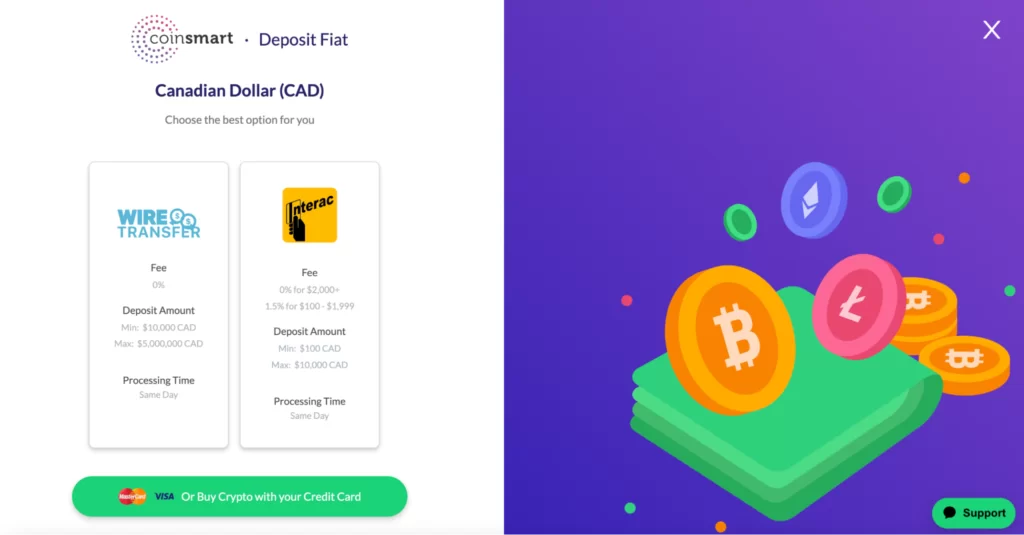
- Interac deposit fee: 1.5% for deposits between $100-$1999
- Free Interac deposits: For deposits of $2000+
- Free wire and bank draft deposits
- Withdrawal fees: 1%
- Various crypto withdrawal fees
- Trading fees: 0.20% for a single trade or 0.40% for a double trade
- Credit/debit card purchases: Up to 6% fee
In my experience, CoinSmart’s fees are lower than average compared to other crypto exchanges, especially considering the free Interac deposits for larger amounts and the reasonable trading fees. For Canadian users looking to keep costs low, CoinSmart is a solid choice. While the credit/debit card fee is on the higher side, avoiding this payment method and opting for free deposit options like wire or bank drafts can help you save even more.
A spread represents the difference between the highest price a buyer is willing to pay (bid price) and the lowest price a seller is willing to accept (ask price). This margin contributes to the exchange’s profit.
When purchasing Bitcoin on CoinSmart, we observed a spread of 2.1%, which is relatively high. This highlights that while CoinSmart advertises low trading fees, the larger spreads can make trading more expensive overall. In contrast, when we tested Bitbuy, the spread was just 0.24%, making it a significantly more cost-effective option for trading.
One thing to keep in mind is that spreads are often hidden, and exchanges might not always be transparent about these costs. This lack of clarity can lead users to believe they are paying low fees, only to realize they are incurring hidden charges through the spread.
CoinSmart’s high spreads have been a recurring theme in customer feedback, and based on my experience testing over 50 exchanges, I always recommend comparing spreads before committing to a platform. If keeping costs low is important to you, platforms like Bitbuy, with its tighter spreads and transparent pricing, are worth considering.
How Did You Fund And Withdraw On CoinSmart?
You can deposit Canadian dollars conveniently through Interac e-Transfer, wire transfer, or bank draft. Additionally, Euros can be deposited using SEPA, wire transfer, or bank draft, while USD deposits are available via wire transfer. For added flexibility, you can also purchase crypto directly using debit or credit cards, provided your bank supports such transactions.
To get started, simply head to your dashboard, click on the “Deposit” button, and follow the on-screen instructions. As someone who has tested numerous exchanges, I appreciate CoinSmart’s variety of deposit methods, which cater to both Canadian and international users, making it versatile and accessible for traders of all levels.
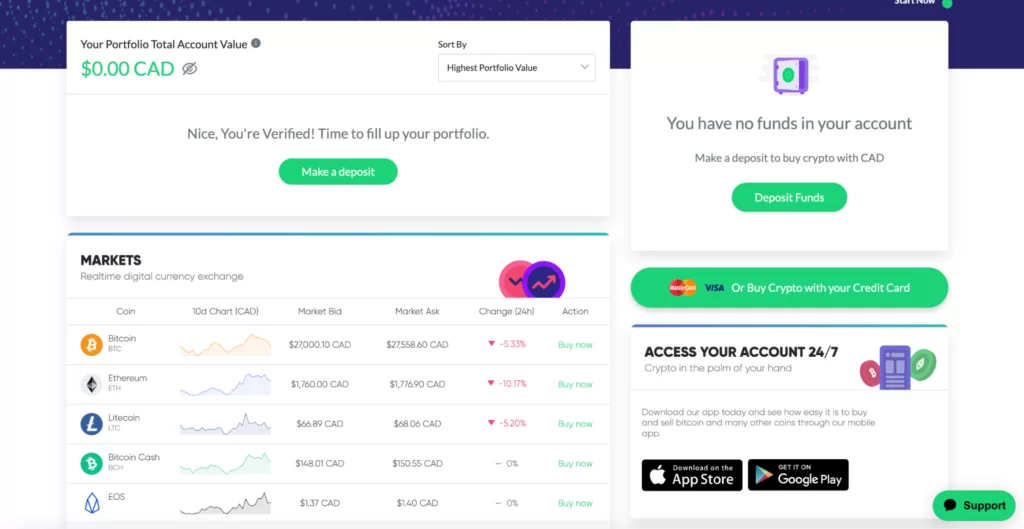
Next, select your deposit method. We chose Interac.
Enter the amount you wish to deposit.
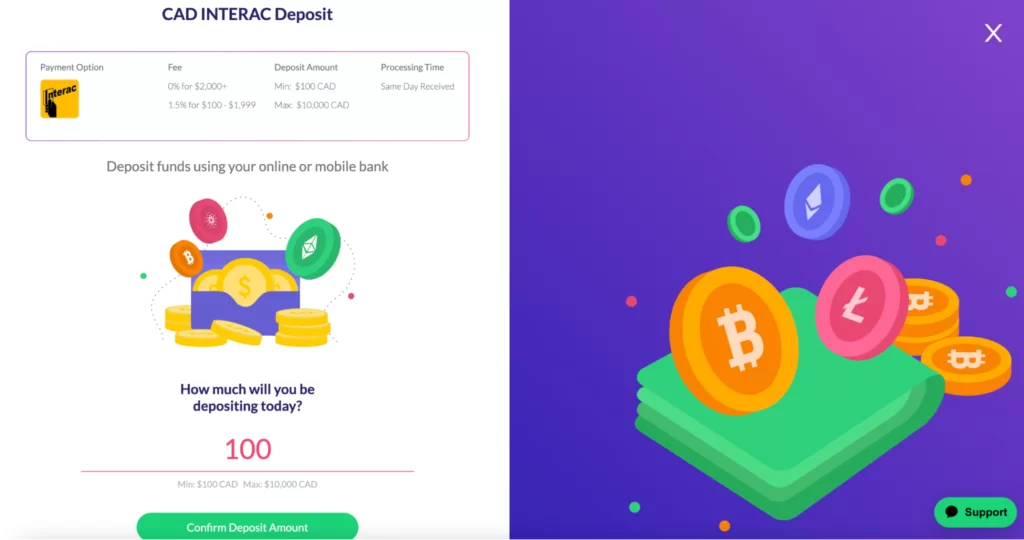
Click confirm. Then, you will receive an email from “Simply Digital Technologies” with a request to make a transfer. Click the button to accept and make the transfer.
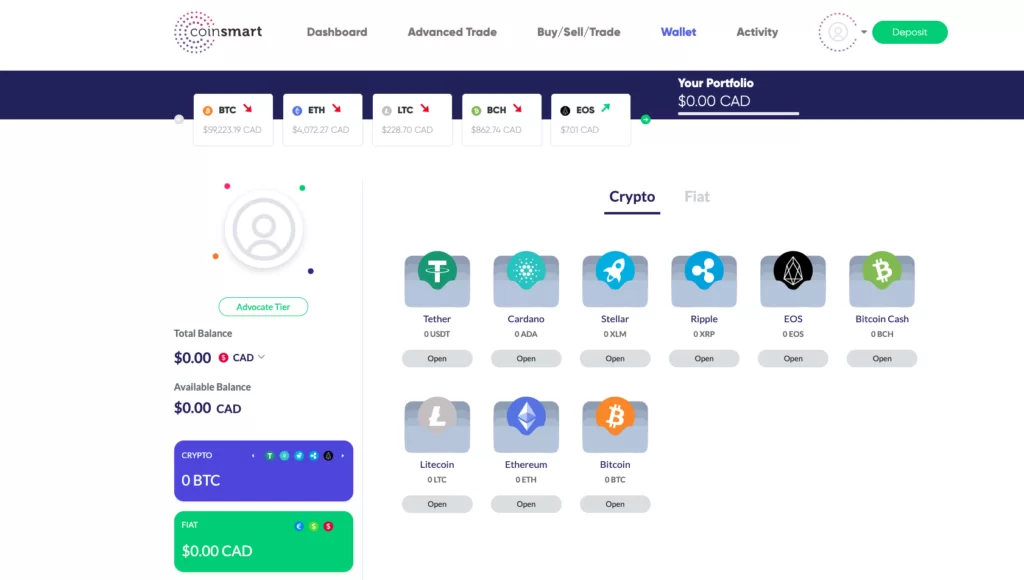
This will redirect you to the Interac website where you can select your bank.
You will be redirected to your online banking where you must login and confirm the transaction.
How Long Do Deposits Take With Coinsmart?
Our deposit took less than five minutes to arrive in our CoinSmart account, which is fast.
How Long Does It Take To Withdraw Coins With Coinsmart?
Withdrawing coins depends on the network but takes up to 10 minutes for bitcoin.
We withdrew Canadian dollars from CoinSmart to our bank account, which takes up to five days to process.
Was CoinSmart Safe And Compliant?

Is CoinSmart safe for Canadians to use? We think so. CoinSmart utilizes cold storage for its digital assets, makes two-factor authentication mandatory, and is fully compliant in Canada.
CoinSmart does not go into much detail about its security or compliance, but these few points are nevertheless highlighted on its website. We do wish CoinSmart would state what percentage of assets are held in cold storage, as this is a key part of an exchange’s security.
CoinSmart uses a verification process that can detect fake information by using a database offered by data collection agencies. CoinSmart states it is able to verify a user’s identity while keeping the data secure, but they do not go into detail about this.
When making a trade, deposit or withdrawal you must confirm the transaction in your Google Authenticator app. You must also confirm all withdrawals via email. This adds a layer of security to your CoinSmart account.
On compliance, CoinSmart was registered with FINTRAC and operated under OSC and CSA relief decisions. Those decisions are now listed as expired, and the FINTRAC entry is ceased, so none of this applies to a live platform today.
What Were The CoinSmart Apps And Support Like?

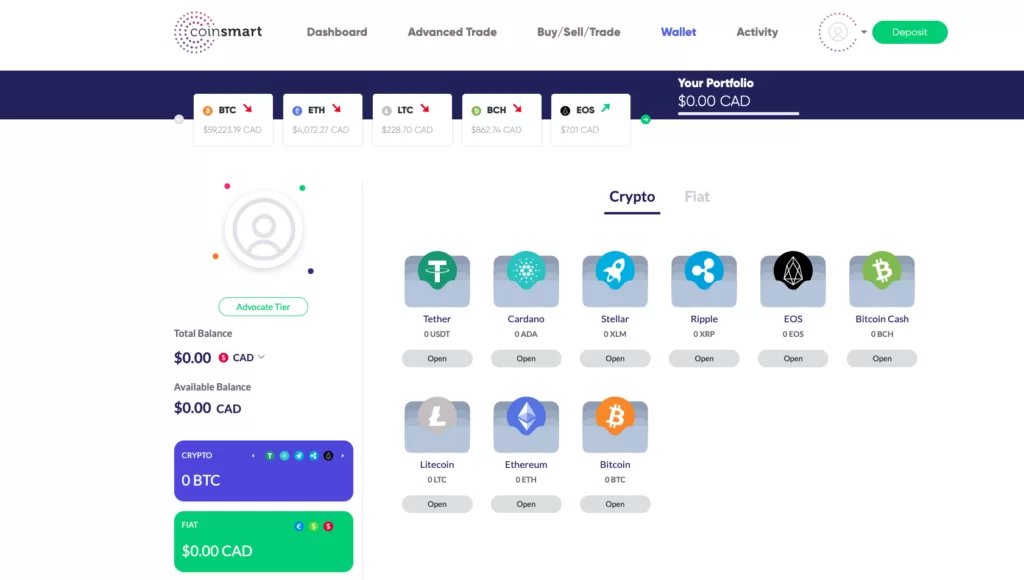
Inside the CoinSmart dashboard, you’ll find a clean layout displaying market information and your portfolio balance. At the top of the page, you’ll have quick access to key features, including options for buying and selling crypto, exploring advanced trading tools, and managing your wallets. As someone who has tested dozens of platforms, I appreciate how CoinSmart organizes these essential tools, making it intuitive for both beginners and experienced traders to navigate.
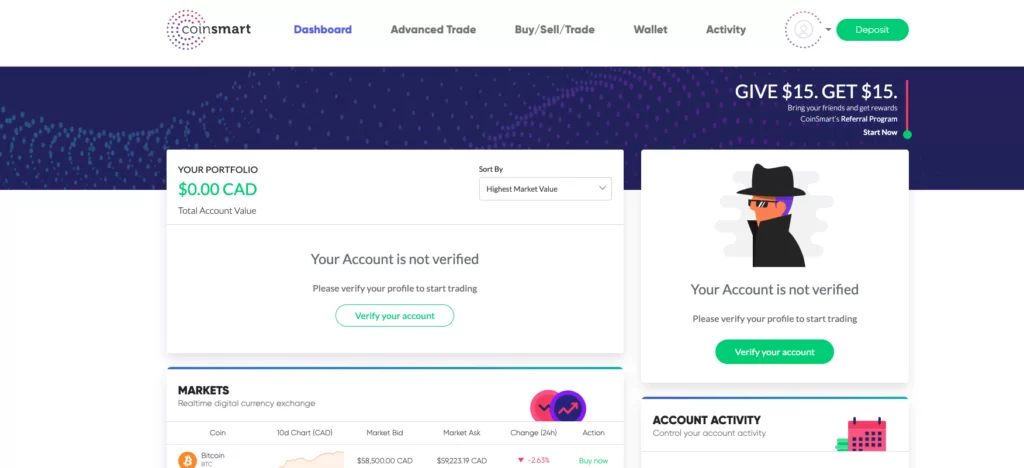
CoinSmart has a youthful, fun, and modern look. It uses plenty of cartoon-like icons, large fonts, and bright colours which makes it the cutest Canadian crypto exchange we’ve seen.
CoinSmart’s iOS app has seen significant improvements, with its rating climbing from a 1.7-star score with 131 reviews to 3.3 stars with 283 ratings, and it continues to rise. We tested the app ourselves, and signing in was straightforward, addressing previous complaints about iOS compatibility issues.
That said, the app still has limited functionality compared to the desktop platform. As someone who values flexibility and advanced tools, I’d recommend sticking to the desktop version, which offers far more features for trading and portfolio management.
Once logged into the app, we encountered several terms and conditions to agree with, followed by an exhaustive questionnaire about financial status, income, employment, and investment objectives. While I understand the need for compliance, it was frustrating to repeat this process despite already completing the simpler verification on the desktop platform.
Even more disappointing, the app failed to save our progress and repeatedly redirected us to the beginning. While CoinSmart is making strides with its app, there’s still room for improvement in terms of user experience and reliability.
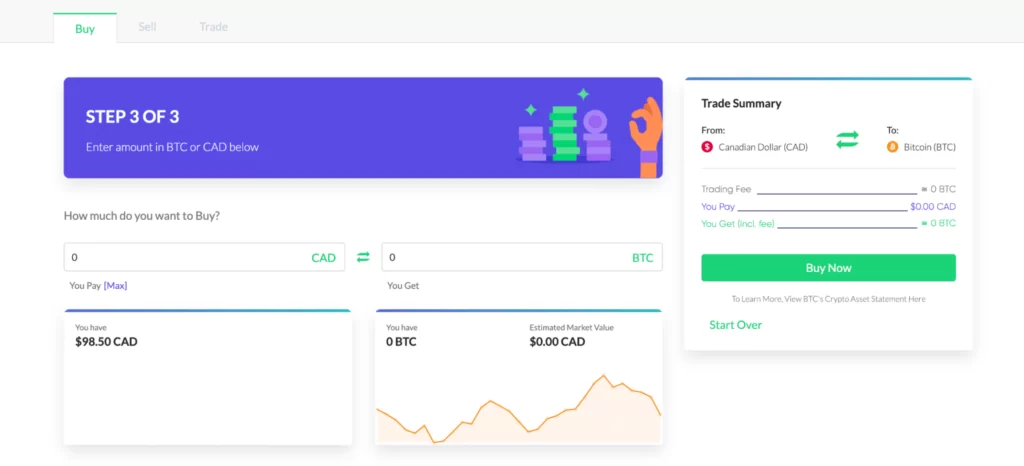
While CoinSmart’s app clearly needs improvement, its desktop platform stands out as a beginner-friendly option. Finding your way through the platform, depositing funds, and purchasing cryptocurrency are straightforward and hassle-free. For those looking to utilize advanced features like limit orders and charting tools, the advanced trading platform is accessible directly from your dashboard, making it easy to switch between beginner and advanced interfaces.
Once your funds are deposited, simply head to your dashboard and click “Buy” next to the cryptocurrency you wish to purchase. As someone who has tested numerous platforms, I find this streamlined process ideal for users new to crypto trading while still catering to more seasoned traders with its advanced tools.
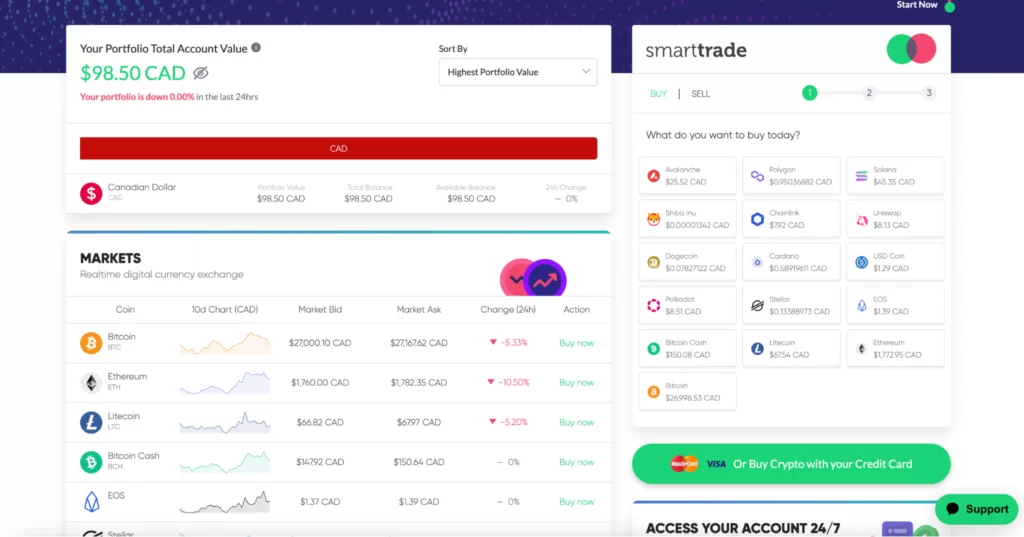
Then, select which currency you want to buy with (CAD, EUR, USD), then enter the amount you wish to purchase and click “buy now”.
Advanced Trade With Coinsmart
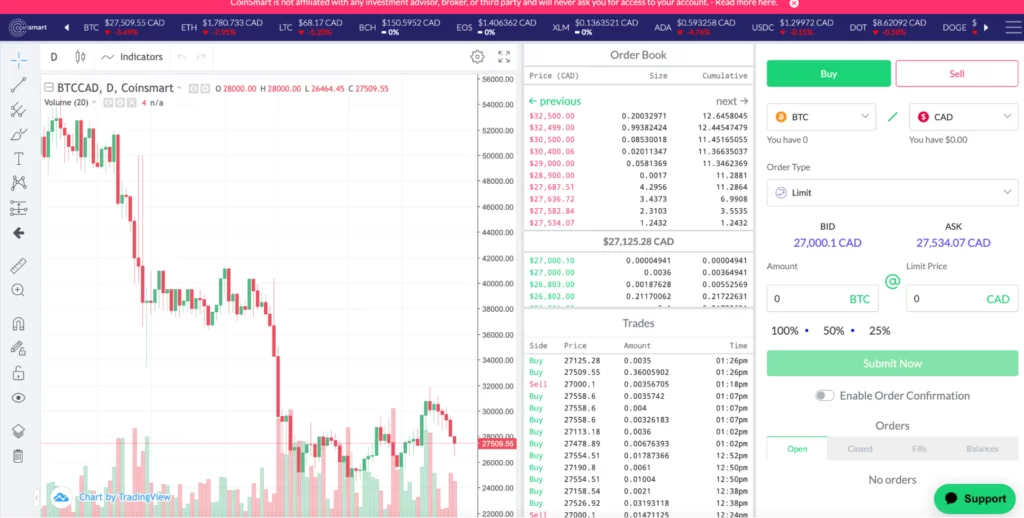
The Advanced Trade app is designed with experienced traders in mind, offering essential tools like charting, order book data, and a variety of order types, including limit orders. This platform provides a solid trading experience, giving users access to the data they need to make informed decisions.
For those who enjoy technical analysis, the platform includes drawing tools for marking up charts and selecting indicators like moving averages. CoinSmart’s Advanced Trade platform is full and well-suited for traders looking to dive deeper into market trends and analytics.
You can submit a support ticket or use CoinSmart’s live chat function directly on their website. They also offer 24/7 customer support, including phone support, although a phone number isn’t listed on their support page, which could be more transparent. CoinSmart boasts an impressive 97% customer satisfaction rate, and based on our experience, it’s easy to see why. When we reached out to resolve an issue, their team got back to us within a few hours and resolved our problem efficiently. That level of responsiveness is a big plus for any crypto exchange.
What Did Other Users Say About CoinSmart?
CoinSmart has 67% “excellent” reviews on Trustpilot, so the majority of customers are happy with the customer service and platform. They have an average score of 3.6-stars.
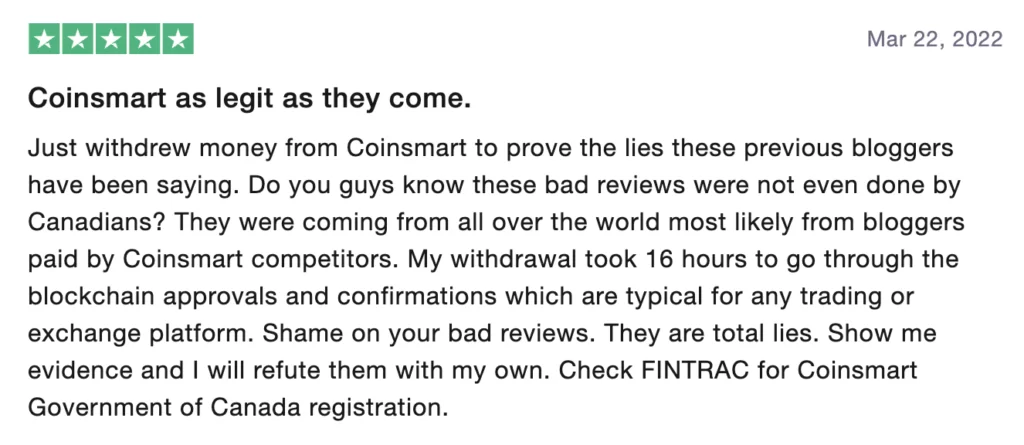
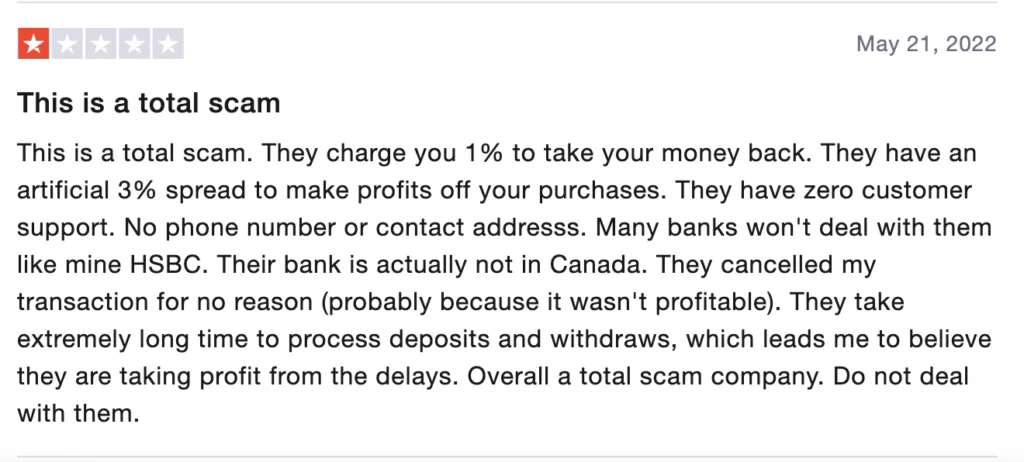
Other reviewers are not so happy and criticize CoinSmart’s slow withdrawal of funds, lack of customer support, and lost deposits.
Does CoinSmart Offer Staking Or Other Services?
CoinSmart does not offer staking or crypto Visa cards, but it does have other features such as SmartPay, which allows you to invoice anyone and get paid in crypto. You can instantly convert your crypto to fiat and have it wired to your bank, or you can hold the crypto. This is great for businesses who would like to receive crypto payments.
They also have a mining calculator where you can calculate how much you could earn mining crypto.
CoinSmart also has a SmartGuarantee where CoinSmart commits to processing verification requests and deposits on the same day they are received.
They also have an Advanced Trade feature for users who are more experienced with crypto and would like to use advanced tools.
Does CoinSmart Have An OTC Desk?
CoinSmart has a premium service for Over-the-Counter (OTC) trades. Anybody looking to make large trades of crypto over $25,000 should consider this option because you’ll get a dedicated account manager and will be able to purchase at a competitive price. CoinSmart’s OTC Desk supports CAD, GBP, EUR, JPY, USD and more.
CoinSmart Liquidity
We could not find information about CoinSmart’s liquidity. Deep liquidity is necessary for making large trades and preventing high spreads. CoinSmart does have an OTC Desk, so if you are debating whether to make a large trade with CoinSmart, you have that option.
Does CoinSmart Restrict Or Freeze Accounts?
CoinSmart is not an exchange where people often complain of accounts being frozen. However, CoinSmart can and will if they suspect suspicious activity on your account.
Examples of suspicious activity could be trading larger amounts than usual or more frequently, or depositing and withdrawing larger amounts than usual.
If your account is frozen you will need to contact CoinSmart’s support team.
Can CoinSmart Track Where You Receive And Send Crypto?
CoinSmart and any other crypto exchange can track where you have received and sent crypto. Crypto transfers are recorded on the blockchain and are public. The information available includes time and date, amount sent and both “to” and “from” wallets.
Since users must submit identity documents when signing up to crypto exchanges, it is easy for an exchange to link transfers on the blockchain with their customer’s accounts. By following a trail, this is how the Canadian government was able to freeze accounts of the protestors during the “Freedom Convoy” earlier this year.
While crypto itself is decentralized, crypto exchanges are centralized and have the power to freeze anybody’s account if they suspect suspicious behaviour.
What Were The Pros And Cons Of CoinSmart?
Pros
- Same-day deposits and verification
- CAD, USD and EUR deposits
- Accepted credit and debit cards
- 24/7 support
- Altcoin-to-altcoin trading
- OTC desk for trades over $25,000
Cons
- Closed to new sign-ups, merged into Bitbuy
- 1.5% fee on Interac deposits under $2,000
- 1% withdrawal fee
- Spread of about 2.1% in my test
- Few altcoins
What Should You Use Instead Of CoinSmart?
If CoinSmart's selling points were low trading fees and a wide menu, these registered platforms do it better today, and all are on my current ranking.
| Exchange | Score | Canadian Status | Fees | CAD Funding |
|---|---|---|---|---|
| NDAX | 7.8 | CSA-registered, CIRO investment dealer | Flat 0.20% | Free Interac e-Transfer and wire |
| Coinbase | 9.8 | CSA-registered (Restricted Dealer) | Up to 1.875% on simple buys, plus spread | Free Interac e-Transfer and EFT |
| Kraken | 9.2 | CSA-registered (Restricted Dealer) | Kraken Pro 0.40% maker / 0.80% taker; Instant Buy 1% | Free Interac e-Transfer deposits |
| Wealthsimple Crypto | 8.4 | CSA-registered, CIRO investment dealer | 0.5% plus spread | Free Interac e-Transfer |
| Newton | 7.9 | CSA-registered, CIRO investment dealer | No fee; spread from 1.00% on BTC | Free Interac e-Transfer, wire and EFT |
See the full best crypto exchanges for Canadians ranking, or take the exchange quiz. Whichever you pick, keep long-term coins in your own wallet and watch out for fake-exchange emails; see common crypto scams in Canada.
What Changed For CoinSmart In October 2026?
- Robinhood completed its acquisition of WonderFi, whose Bitbuy took over CoinSmart's accounts.
- FINTRAC lists CoinSmart's legal entity as ceased.
- WonderFi announced Bitbuy would buy all CoinSmart client accounts.
Frequently Asked Questions
Is CoinSmart Still Open?
No. WonderFi announced on September 8, 2023 that Bitbuy would take over all CoinSmart client accounts, and coinsmart.com now serves the Bitbuy site. CoinSmart takes no new sign-ups.
Is CoinSmart Registered In Canada?
Not any more. Its CSA decisions are listed as expired, and FINTRAC shows SIMPLY DIGITAL TECHNOLOGIES INC. (CoinSmart) as ceased on September 10, 2024.
What Did CoinSmart Charge? CoinSmart Fees In Canada
Trading was 0.20% per trade, Interac deposits under $2,000 cost 1.5%, withdrawals cost 1%, and cards cost up to 6%. My $100 test showed a spread of about 2.1% on Bitcoin.
What Happened To My Old CoinSmart Account?
It was moved to Bitbuy, and Bitbuy accounts later moved to Coinsquare Capital Markets Ltd. under Robinhood ownership. Follow the invitations you receive and download your statements first.
What Is The Best CoinSmart Alternative?
How Do I Withdraw From CoinSmart To A Canadian Bank Account?
You cannot withdraw on CoinSmart itself any more, because its accounts were moved to Bitbuy. Use the instructions in your Bitbuy or Robinhood account, where your balance now sits. When it was open, a Bitcoin withdrawal took up to 10 minutes and a CAD withdrawal to my bank took up to five days, with a 1% withdrawal fee.
Is CoinSmart Safe And Legit?
It was a real platform that operated under OSC and CSA relief decisions and held a FINTRAC registration. Those decisions are now expired and FINTRAC shows the entity as ceased on September 10, 2024, so it is not a live service. If you want a platform with a regulator behind it today, use one on the CSA list.
CoinSmart Vs Coinbase: Which Is Better?
Coinbase, because CoinSmart no longer takes sign-ups. Coinbase is a CSA Restricted Dealer with free Interac e-Transfer and EFT funding and ranks first on my list at 9.8. In my test CoinSmart returned $81.11 from $100 after fees, spread and withdrawal.