

ZenGo is a mobile crypto wallet that uses multi-party computation (MPC) instead of a seed phrase: the signing key is split between your phone and ZenGo's servers, and you recover the wallet with a face scan plus a recovery file in your own cloud. ZenGo says it supports 1,000+ crypto assets, uses three-factor authentication and offers 24/7 support. Fees depend on the payment method and are shown before you confirm, with a minimum purchase of $50. It is a beginner-friendly self-custody option, but it is not a hardware wallet and not a fully key-in-your-hand design.
- Best for: beginners who want self-custody without writing down a seed phrase
- Skip it if: you want a single key you alone control, or you hold a large amount (use a hardware wallet)
- Fees: vary by payment method and are shown before you confirm
- Pricefree app download (software wallet); optional paid features not captured
- Secure Elementnone: software MPC wallet, no seed phrase; keys split by multi-party computation
- Connectionnot applicable: iOS and Android app; also a Zengo Business product
- Backup3-factor recovery (3FA): no seed phrase, recover even on a new phone
- Open SourceMPC cryptography described as 'award-winning open-source'; app itself not stated as open source
My #1 pick: before you buy the ZenGo, look at the Trezor Safe 7 (9.6/10), the wallet I use and rank first for Canadians.
| Detail | Info |
|---|---|
| Type | Mobile wallet app for Android and iOS |
| Security Model | MPC (threshold signatures) with three-factor authentication including facial recognition, no seed phrase |
| Supported Assets | 1,000+ crypto assets, per ZenGo's site |
| Buying | Minimum purchase of $50; fees depend on payment method, currency and provider and are shown before you pay |
| Markups | ZenGo says there are no hidden fees or markups on the exchange rate |
| Zengo Pro | Reduced service fees for Pro users |
| Support | 24/7 support with live chat and email |
| Recovery | Face scan plus a recovery file saved in your own cloud (Google Drive or Dropbox) |
| My Rating | Not ranked on my exchange list; hands-on review below |

One of the smartest ways to keep your crypto secure is by moving your assets off an exchange and into a private wallet. As someone who’s been trading crypto since 2016 and tested over 50 exchanges, I understand the importance of self-custody. In this article, I’ll take a closer look at the ZenGo wallet and what it offers to Canadians.
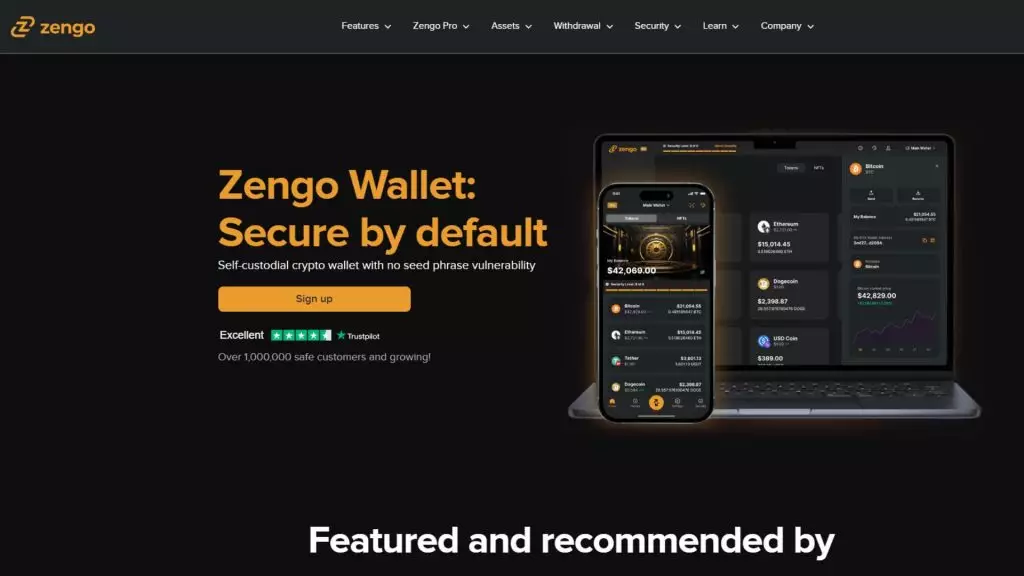
What Is ZenGo Wallet?
ZenGo is a software wallet you can download to your device to securely store your crypto. Available on both Android and iOS, it’s one of the most popular keyless wallets out there. I like that the fees are relatively low and that it uses facial recognition technology to enhance security.
ZenGo is a simple yet secure option for Canadians.
How Does ZenGo Wallet Work?
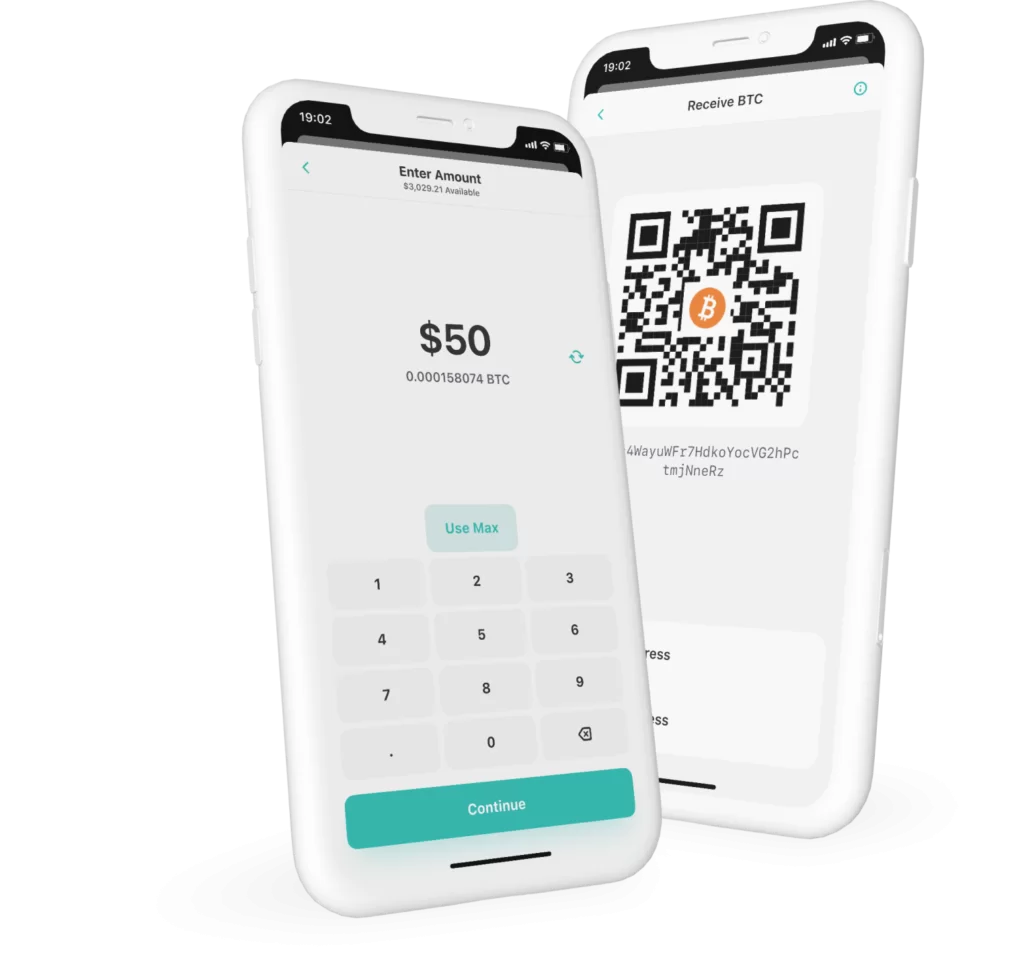
The ZenGo crypto wallet is an app designed for buying, selling, trading, and securely storing your crypto. What sets ZenGo apart is its innovative technology that requires both your device and ZenGo’s servers to work together for transactions. Each stores a secret code, so if one fails, your crypto remains secure.
For example, even if ZenGo’s servers were compromised, a hacker couldn’t access your funds without the secret code stored on your device. This eliminates any single point of failure, adding an extra layer of protection to your crypto.
Is ZenGo Safe And Secure?
The ZenGo crypto wallet is keyless, which means you don’t have to worry about keeping private keys or seed phrases safe. Instead, it uses facial recognition technology to secure your wallet on your phone. If you ever need to restore it, ZenGo simply scans your face, no need to remember or store a seed phrase.
And don’t worry, a photo of you won’t work! This makes ZenGo feel a lot more secure and user-friendly compared to many other software wallets out there.
One honest caveat: because the key is split between your device and ZenGo's servers, ZenGo is not a "key only you hold" wallet. That is the trade you accept for no seed phrase. If you want sole control, a hardware wallet is the better choice.
What Crypto Does ZenGo Support?
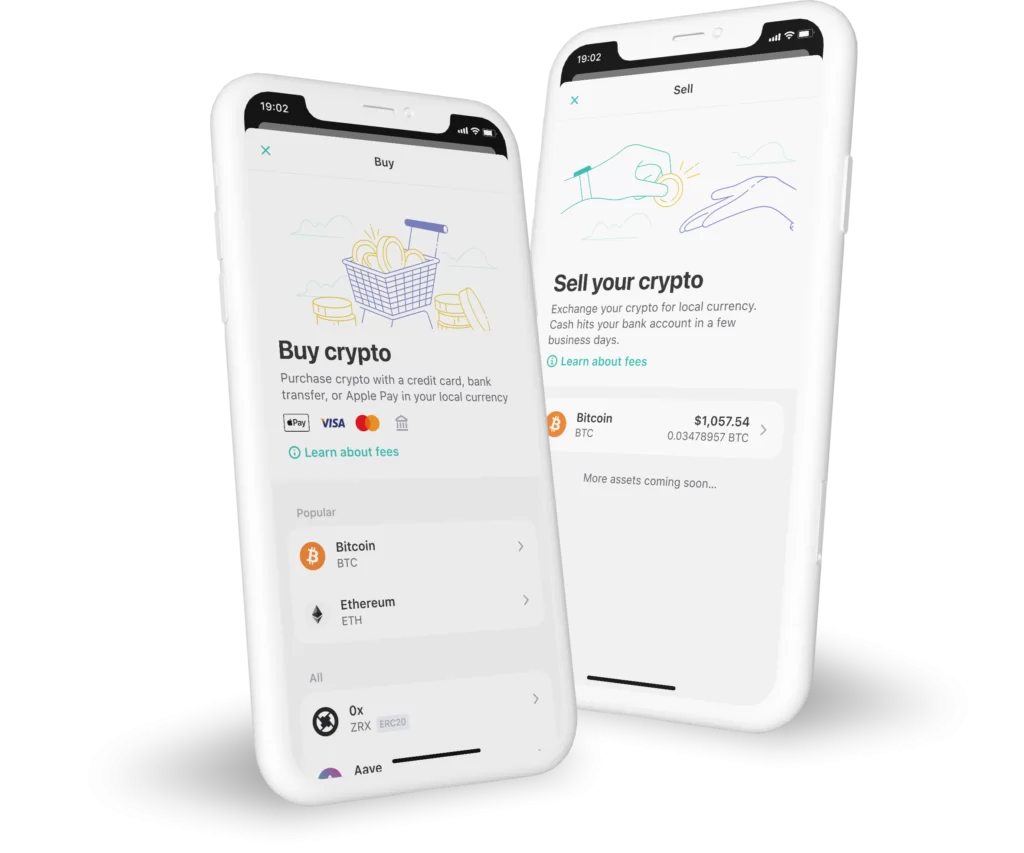
ZenGo says you can buy, swap and manage 1,000+ crypto assets, including Bitcoin, Ethereum, Cardano and Solana. You can buy with a card in your local currency through a payment provider, and swap crypto for crypto in the app, with the rate and fees shown before you confirm. Whether every feature, including selling, works for Canadians depends on the provider, so check inside the app.
What Does ZenGo Cost?
The app is free, but trading and buying carry fees. Per ZenGo's site, the fee varies by payment method, currency and provider, you see a clear breakdown before you confirm, and Zengo Pro users get reduced service fees. In my own use I found bank transfers cheaper than cards, and card purchases carry a provider processing fee. Earlier versions of this review quoted specific percentages. I have removed them because they change often and I could not verify current figures from an official page.
Another feature I found useful is the ability to control transaction speed. With one tap you can choose between economy, regular or fast network fees, depending on whether you want to save money or get a transaction through immediately. That flexibility came in handy when timing was critical.
What Is The ZenGo Mobile App Like?
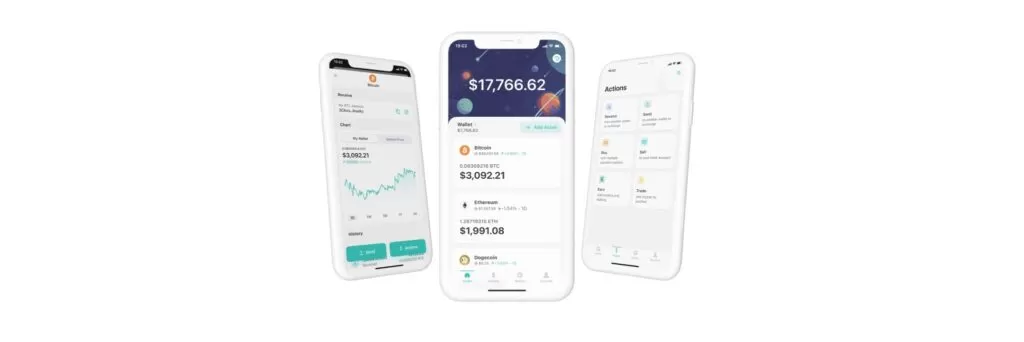
The ZenGo crypto wallet is incredibly user-friendly. I like how the dashboard has simple menus that let you buy, sell, and trade crypto, as well as receive, send, and earn. There’s also a handy tab for transaction history and an account tab where you can manage your settings.
In the account tab, you can secure your wallet by setting up a recovery kit. This includes a face scan for wallet recovery and a recovery file stored in your personal cloud (Google Drive or Dropbox). It’s important to never move or delete this file, doing so would make your account unrecoverable.
One thing I appreciate is that ZenGo requires you to create the recovery kit before depositing funds, providing your wallet is secure right from the start.
How Is The ZenGo User Experience?
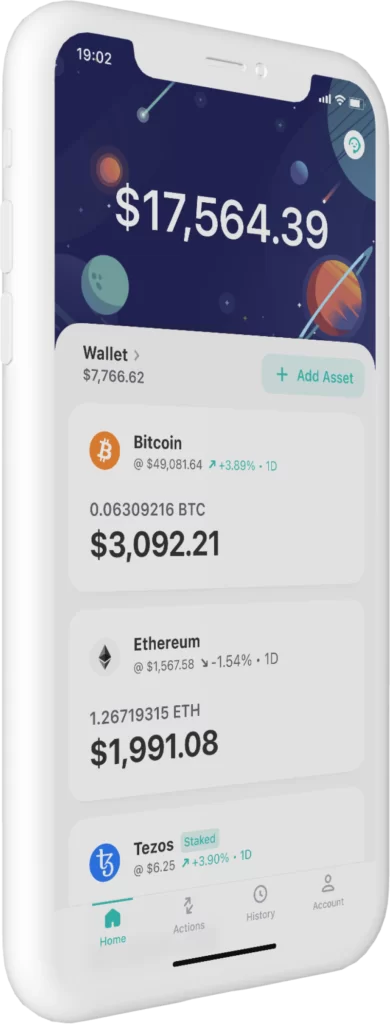
The ZenGo wallet has a simple and clean interface that I find perfect for beginners. Its intuitive design features just four tabs: Home, Actions, History, and Account. When you click on the Actions tab, you’ll see six clearly labeled boxes for buying, selling, trading, receiving, sending, and earning crypto. It’s one of the most straightforward and enjoyable wallets I’ve tested.
I also love how your balance is always displayed prominently at the top of the app, saving you from having to search for it. What’s refreshing about ZenGo is that you can freely explore the app before setting up a recovery kit. Unlike many other wallets, which force you to create and verify an account upfront, ZenGo lets you decide if the app meets your needs first. This flexibility makes it stand out from the competition.
What Is ZenGo Customer Service Like?
One thing I appreciate about ZenGo is their 24/7 customer support, with real people available to help. You can reach them through live chat or email, which makes resolving issues convenient. While many reviewers mention that the support team responds quickly, a few have noted instances where the assistance wasn’t as helpful as expected.
That said, the overall feedback is positive, with most users seeming satisfied with both the ZenGo wallet and the customer service experience. It’s reassuring to know there’s reliable support when you need it.
Does ZenGo Offer Staking Or Earning?
Earlier versions of ZenGo let you earn interest through staking and lending, and my old review quoted specific yields and a lending partner. Those offers change, so I have removed the numbers and the partner name. Look at the Earn tab in the app for what is available to Canadians today, and read the terms of any lending product before you use it, because lending carries counterparty risk.
What Are The Pros And Cons Of ZenGo?
Pros
- No seed phrase: facial recognition plus a cloud recovery file
- No single point of failure: key split between device and server
- 1,000+ assets supported per ZenGo
- Simple four-tab interface that is easy for beginners
- 24/7 support with live chat and email
- Control over network fee speed with one tap
Cons
- Not a fully self-held key: part of the signing key sits on ZenGo's servers
- Buying and swapping fees can be higher than at an exchange
- Recovery depends on your cloud recovery file never being moved or deleted
- Not a replacement for a hardware wallet for large holdings
Is ZenGo Worth It For Canadians?
Is the ZenGo crypto wallet legit? Yes, in my experience. I find ZenGo to be an excellent choice for convenience and for a different security approach. The wallet makes buying and swapping crypto effortless without the seed phrase headache. For small to medium amounts it is a good beginner option, and for anything large I would still move to a hardware wallet. If you use my referral code ZENX0B4G, check the current offer in the app before you buy, because bonus terms change.
For more options, see the best crypto wallets for Canadians. If you are still deciding where to buy the coins you will store, my ranked best crypto exchanges for Canadians list and the exchange quiz will get you there.
What Changed For ZenGo In October 2026?
- ZenGo's site describes the app as an MPC wallet with no seed phrase, three-factor authentication, 24/7 support and 1,000+ crypto assets, replacing the 70-asset figure in my earlier review.
Has ZenGo Had Security Problems?
I found no documented breach, recall or disclosed vulnerability affecting ZenGo wallets in primary sources as of October 2026. That is not a guarantee, so keep your firmware updated and buy only from the maker.
How Does ZenGo Compare?
| Wallet | Price | Connection | Secure Element | |
|---|---|---|---|---|
| ZenGo | free app download (software wallet); optional paid features not captured | not applicable: iOS and Android app; also a Zengo Business product | none: software MPC wallet, no seed phrase; keys split by multi-party computation | |
| Exodus | free software wallet; swaps from 0.5% rate, third-party fees apply | not applicable: software; Ledger and Trezor hardware supported inside the app | none: software wallet; passkey protection; can pair with Ledger and Trezor hardware wallets | Full comparison |
| Trezor Safe 7 | USD 249 | Bluetooth (open-source encrypted), USB-C to USB-C cable, Qi2 wireless charging | TROPIC01 (auditable) plus NDA-free EAL6+ Optiga secure element plus STM32U5 microcontroller: three chips from three vendors | |
| Tangem Wallet | 2-card set USD 54.90; 3-card set USD 69.90; Family Pack USD 129.80; Ring and 2 cards USD 160; Pro Kit USD 180 (prices shown in USD to a US visitor) | NFC only (no battery, no cable) | EAL6+ certified chip, Samsung-developed per Tangem; IP69K |
Frequently Asked Questions
Is ZenGo Safe?
ZenGo uses MPC, three-factor authentication including facial recognition, and a recovery file in your own cloud. It is not a fully self-held key, since part of the signing key sits on its servers, so use a hardware wallet for large amounts.
Does ZenGo Have A Seed Phrase?
No. It is a keyless wallet: you recover with a face scan and a recovery file stored in Google Drive or Dropbox. Never move or delete that file.
How Many Coins Does ZenGo Support?
ZenGo says 1,000+ crypto assets. Check that your specific coin is supported before sending funds.
What Does ZenGo Charge?
The app is free. Fees depend on payment method, currency and provider and are shown before you confirm, and Zengo Pro reduces service fees. The minimum purchase is $50.
Is ZenGo Better Than A Hardware Wallet?
No. A hardware wallet gives you sole control of the key. ZenGo is easier and good for smaller amounts.
Does ZenGo Have Customer Support?
Yes. ZenGo offers 24/7 support through live chat and email.