

Status Notice: The maker no longer sells this model. This review is kept for owners. For a new wallet, see my top 7 crypto wallets in Canada.
Status Notice: The Trezor Model T is discontinued. Trezor's own product page says the Model T is no longer sold and points to the Trezor Safe 5 as its successor, and says the Model T will keep getting software updates until at least 2031 and critical security fixes until at least 2036. If you already own one, you can keep using it. If you are buying today, Trezor's current lineup is the Safe 3, Safe 5 and Safe 7. This review is kept for reference and for owners.
The Trezor Model T was Trezor's color-touchscreen hardware wallet, with a microSD slot, a USB-C port and the Trezor Suite desktop app. It is no longer sold, so the question is no longer whether to buy it but how to look after the one you own. My hands-on review below covers setup, safety and how it compared with Ledger at the time. For a new wallet, look at the current Trezor Safe range or another hardware wallet from my wallets guide.
- Status: discontinued, with updates promised until at least 2031 and security fixes until at least 2036
- Native support: 14 assets per Trezor, plus thousands of coins and tokens via Trezor Suite and third-party wallets
- Replacement: Trezor Safe 5 per Trezor's own page
- Secure Elementnone stated; the page says the successor Safe 5 'comes with a Secure Element chip' (implying Model T has none)
- ConnectionUSB cable (no wireless listed)
- Backup12-, 20- and 24-word backup; Advanced multi-share backup (Shamir); 2 wallet backup cards
| Detail | Info |
|---|---|
| Status | No longer sold; successor named by Trezor is the Safe 5 |
| Software Support | Software updates until at least 2031, critical security fixes until at least 2036 (Trezor) |
| Native Assets | 14 assets natively, plus thousands of coins and tokens (Trezor) |
| Screen And Ports | Color touchscreen, USB-C, microSD slot (my hands-on testing) |
| Wireless | No Bluetooth and no mobile app |
| Desktop App | Trezor Suite |
| In The Box | Trezor Model T, USB cable, magnetic dock, two recovery seed cards, stickers (my unboxing) |
| Current Price | Not sold, so no current price |

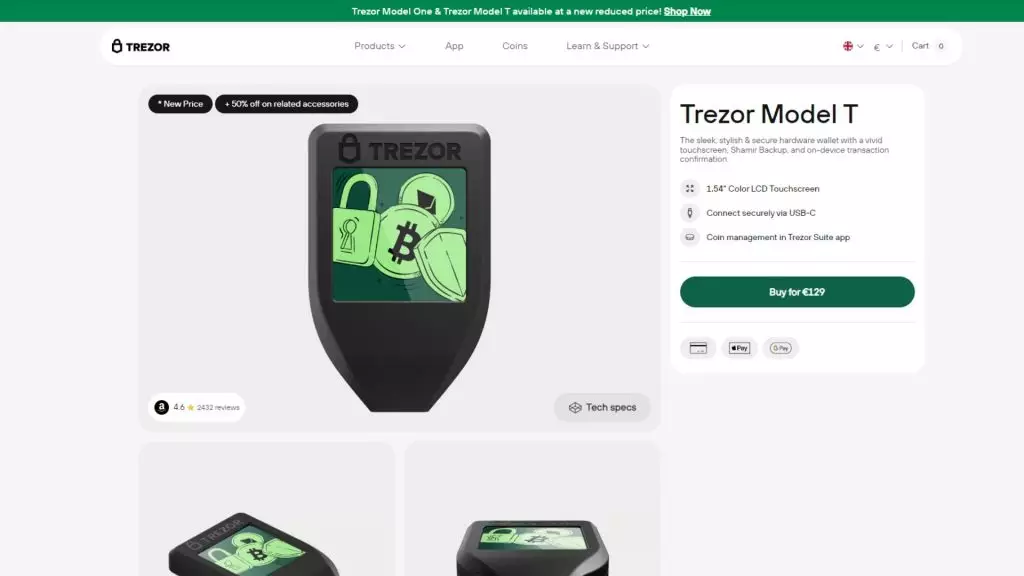
The Trezor Model T is a hardware wallet that can keep your cryptocurrencies safe. A mistake that people often make when trading crypto is keeping large sums on crypto exchanges.
While most reputable crypto exchanges are safe to use, it’s still not safe to keep large amounts of crypto on them. Should they be hacked, your crypto can be stolen and there is no guarantee of ever getting it back. A crypto exchange is a place to trade crypto, it's not cryptocurrency storage.
The best way to protect yourself and your digital assets is to get a cryptocurrency hardware wallet. A hardware wallet, like the Trezor T, stores your private keys.
Unlike a software wallet like an app, a hardware wallet never connects to the internet, which means your private keys (and your crypto) cannot be stolen.
The Trezor wallet has a number of supported coins, so you can keep your crypto assets safe.
We bought Trezor Model T crypto level to exclusively test it for OCryptoCanada.
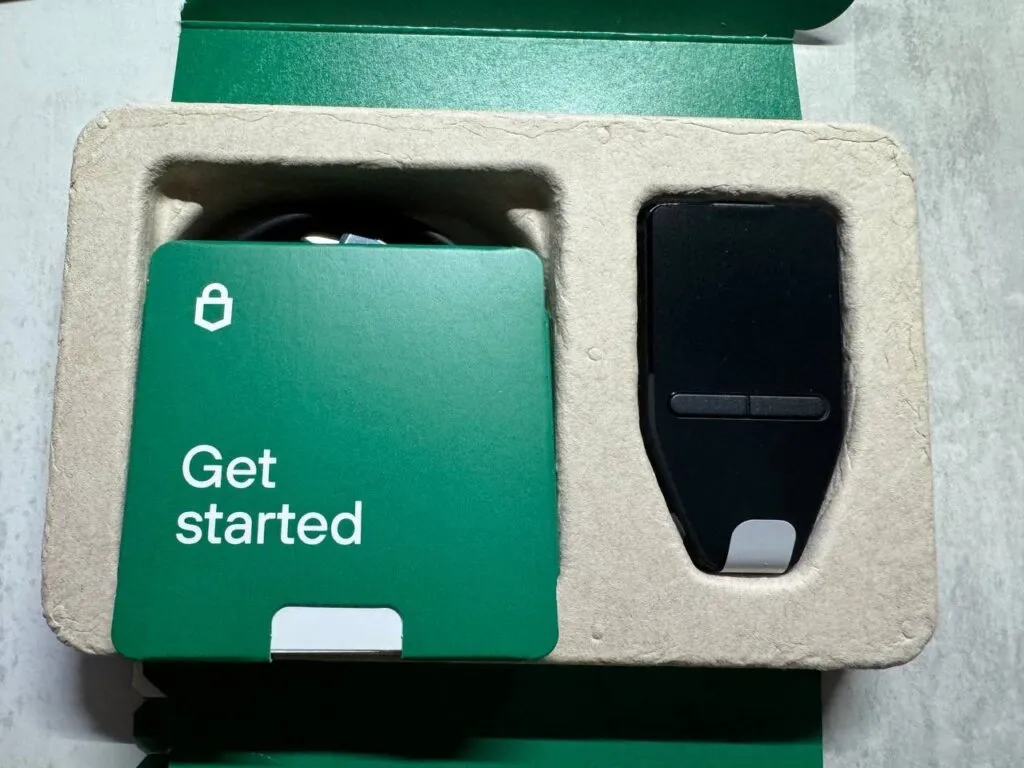
Here is our Trezor Model T review.
What Coins Does The Trezor Model T Support?
Trezor says the Model T provides native support for 14 assets, including Bitcoin, Ethereum and Dogecoin, plus support for thousands of other coins and tokens through Trezor Suite and compatible third-party wallets. Popular coins I have used with it include Bitcoin, Bitcoin Cash, Ethereum, Cardano, XRP, Polygon, Polkadot and Dogecoin.
How Does The Trezor Model T Work?
Software wallets, also called hot wallets, that you download as an app onto a phone or a desktop wallet on your computer are a type of cryptocurrency wallet that stores your private keys on your device.
Since your computer and phone are connected to the internet, this can leave them vulnerable to theft. All it takes is a virus, a hack, or phishing links to steal your private key and your crypto from online wallets.
Therefore, online wallets, while safer than exchanges, are not the securest form of crypto storage.
With a hardware wallet like the Trezor Model T, your private key is stored on the Trezor itself.
Unlike software wallets, these devices are never connected to the internet. It means that your private keys can’t be stolen.
One misconception with hardware wallets is that your cryptocurrency is stored in the wallet. This isn’t true exactly.
Your crypto lives on the blockchain, but the hardware wallet stores your private keys and allows you to verify transactions using the physical device. It is called cold storage because the device never connects to the internet like a hot wallet does.
This means that if you lose your Trezor hardware wallet, you won’t lose your crypto.
You can buy a new hardware wallet and upon its setup, put in your backup phrase from the wallet you lost, and your crypto will be there.
How Do You Use The Trezor Model T?
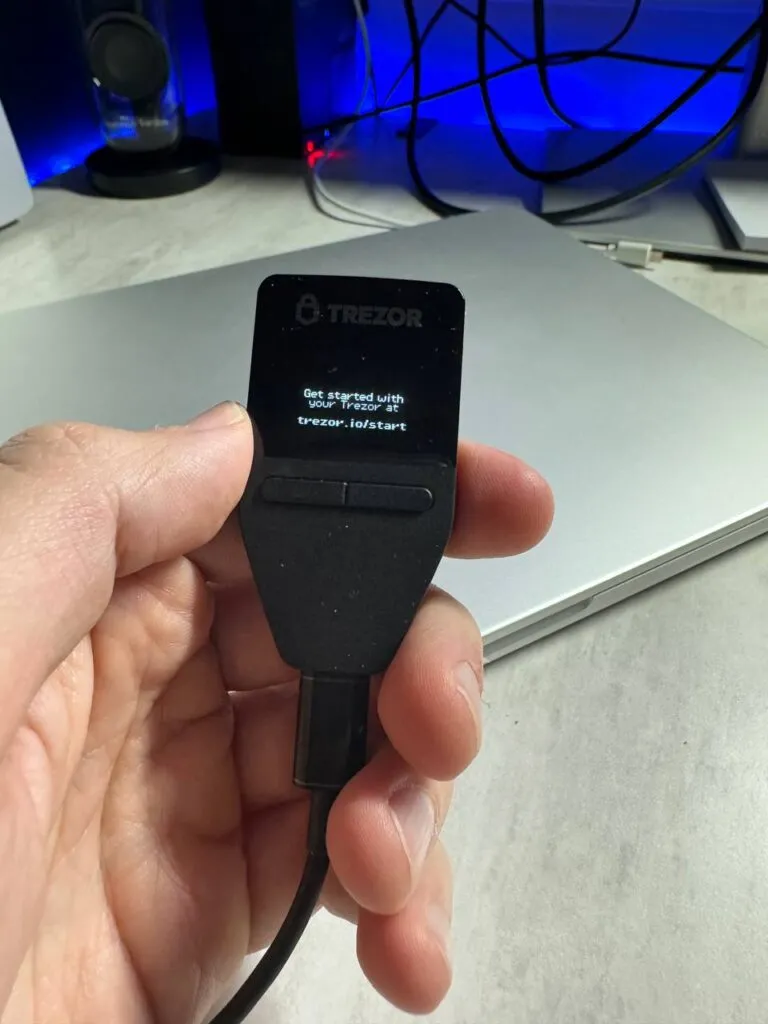
Device Setup
When you first turn on your Trezor wallet, you’ll need to set a PIN. Keep this safe because after three failed attempts, your device will be wiped and the hardware wallet will become useless.
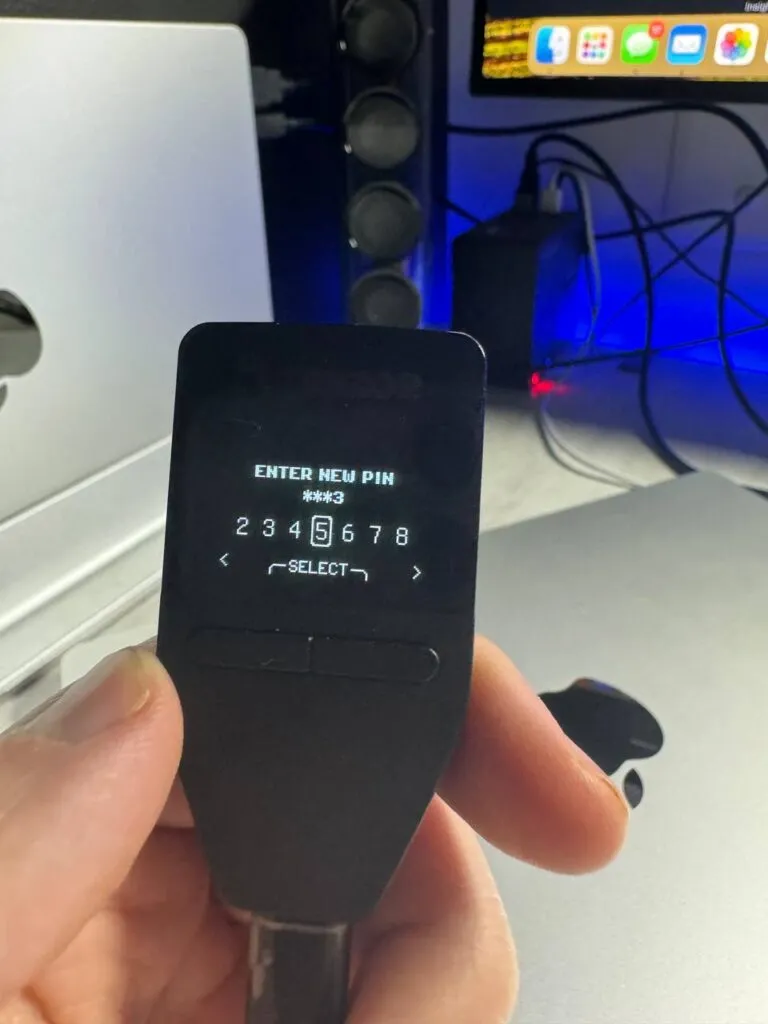
For the initial setup go to https://suite.trezor.io/ and download the desktop app for your computer. Once installed and open, connect your Trezor Model T or Trezor One to your computer with the provided USB cable. The Trezor T has a USB-C input on the device.
When you first buy your Trezor Model T or Trezor Model One, you can choose to set them up as new Trezor wallets, or enter a recovery phrase you already have so you can manage an existing wallet.
Setting Up As A New Wallet
If you set it up as a new wallet, the Trezor T will generate a new and unique seed phrase. You should write this down on paper and keep it safe.
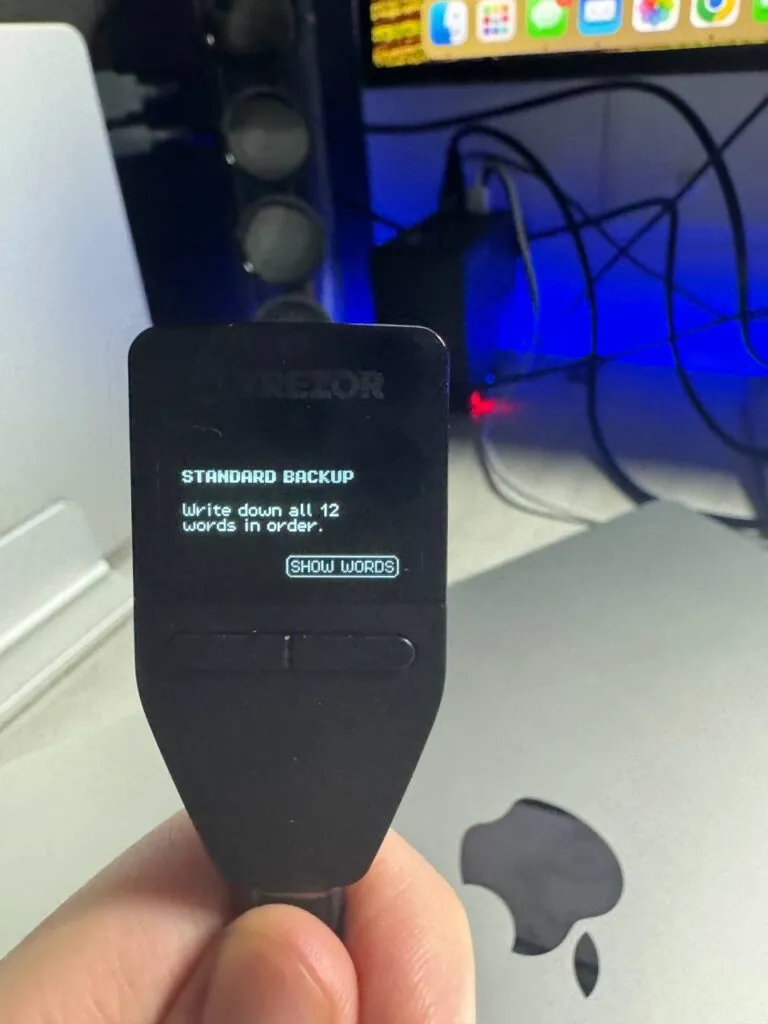
Never take a picture or store your recovery seed on your computer or in the Cloud as this defeats the purpose of keeping your private keys offline.
Trezor Suite
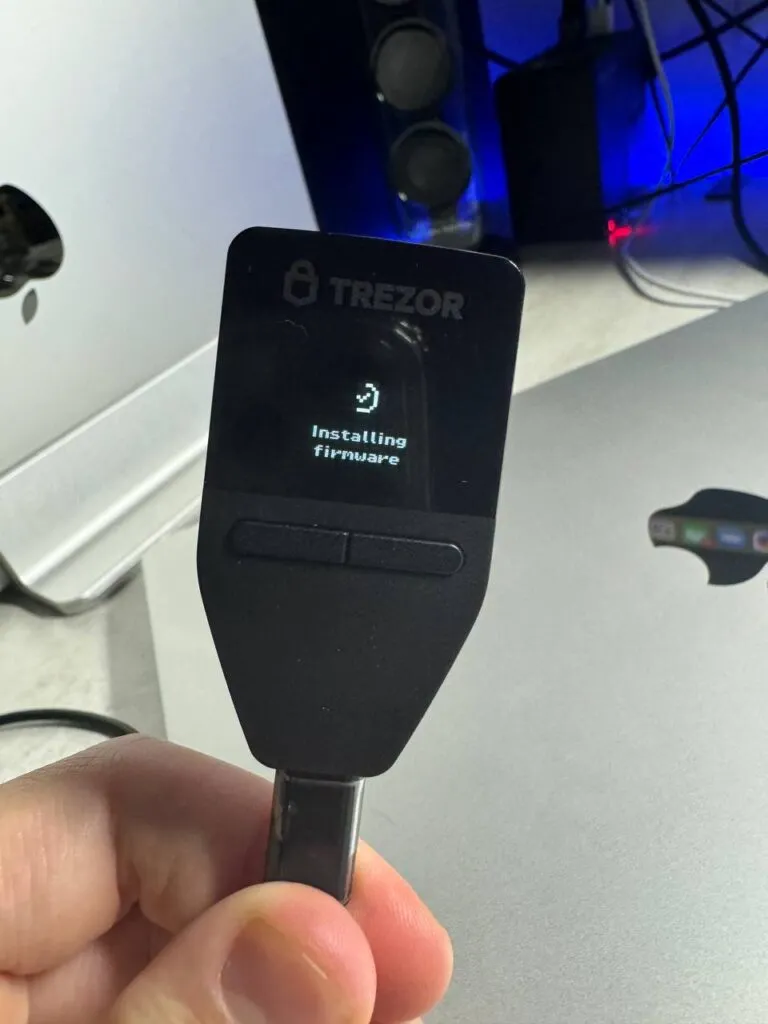
Once connected to Trezor Suite, unlock the Trezor T with the PIN code and follow on screen prompts to connect to the Trezor Suite app.
If the Trezor T prompts you to update the device firmware, do that first and follow the steps.
Once your Trezor T is connected to the desktop app, you will be able to see your portfolio, accounts, and settings. You can also view your backup seed in case you lose it.
Adding Cryptocurrencies

To add crypto assets, you’ll need to add an account for each asset. Click the + icon at the top of the screen to add a new cryptocurrency.
To manage ERC-20 tokens you can use the Trezor Bridge or third=party wallets.
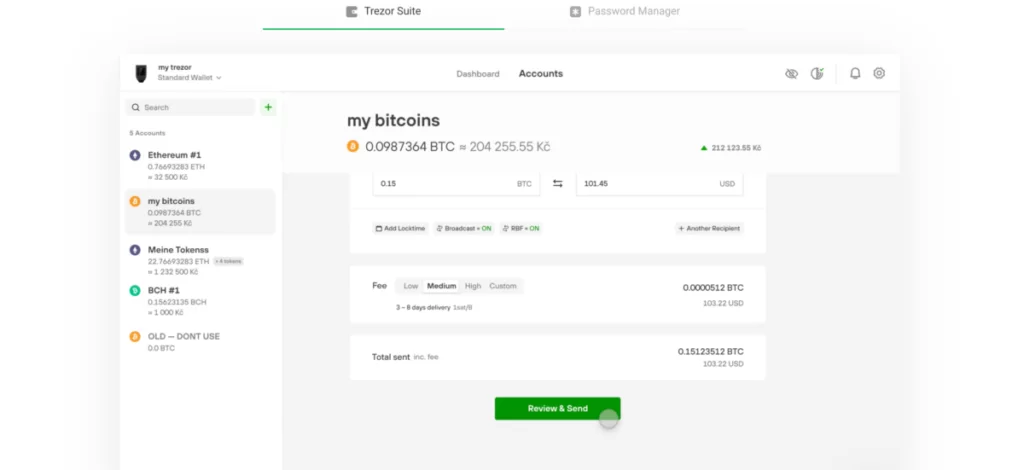
You can use the desktop app to send and receive crypto. It works the same as a crypto exchange.
Simply enter the wallet address, the amount you want to send, and select the appropriate network, if applicable.
You can also specify how much you’re willing to pay for gas fees by selecting low, normal, or high. The more you pay, the faster the transaction.
To confirm a transaction, you will need to physically confirm it on the Trezor device. Follow the prompts on the screen to verify the transaction.

Using the model T is the same as using the model One since both Trezor devices have the same functionality.
What’s In The Box?
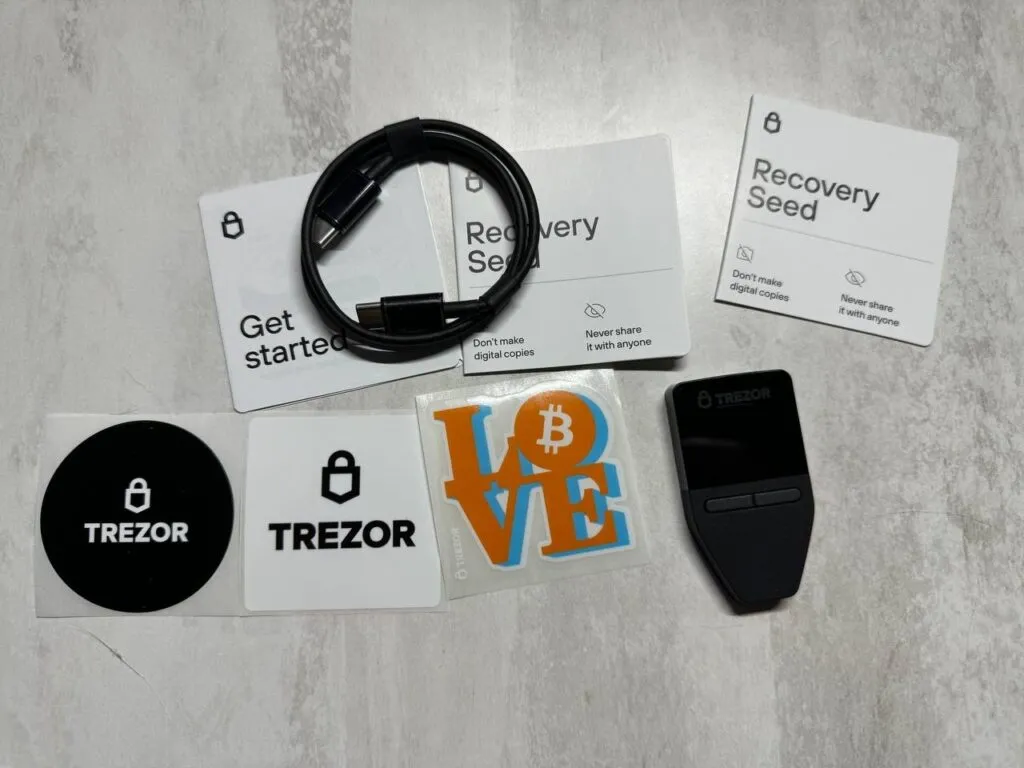
The Trezor Model T comes with:
-
Trezor Model T
-
USB-A to USB-C cable
-
Magnetic dock
-
2x recovery seed cards
-
Stickers
The Trezor One comes with:
-
Trezor One
-
Micro-USB to USB-A cable
-
2x backup seed cards
-
Stickers
Is The Trezor Model T Safe?
The Trezor T and Trezor One hardware wallets are some of the safest crypto wallets you can get. They store your private keys so your crypto always remains safe.
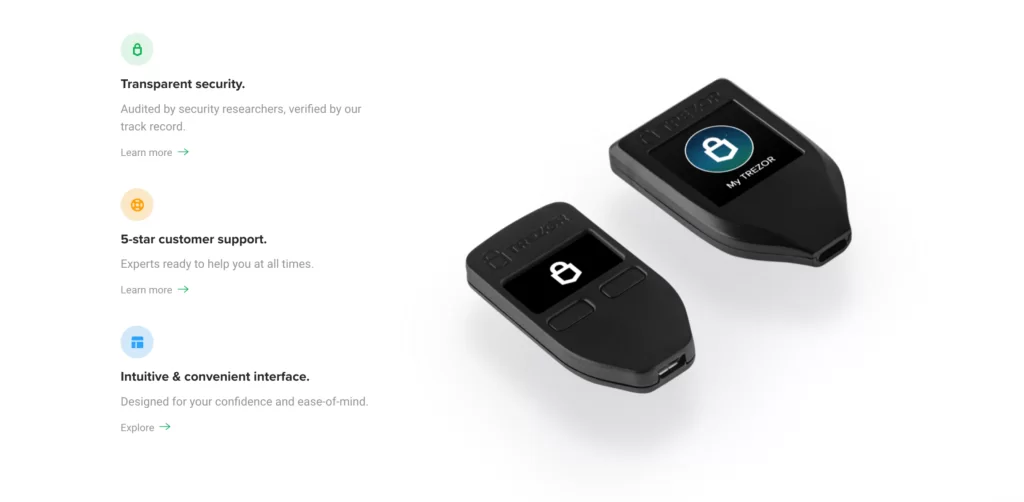
As long as you keep your seed phrase safe, you won’t lose access to your crypto. They also aren't hard to use, so they are not only for advanced users. Anybody can learn to use one.
Tamper-Evident
Trezor uses a security hologram sticker, so when you first buy the device, you’ll be able to see if it’s already been opened.
When you are sure it has not been tampered with, you can remove the sticky hologram and start using it.
The security hologram sticker covering will leave some residue, but this helps to show if it's been removed previously.
The firmware is signed by SatoshiLabs, and upon setup, a warning will appear if it detects that the code has been altered.
A Secret Word
The Trezor T will generate a new 24-word recovery seed phrase for you when you create a new wallet. There is also a feature to add a 25th secret word.
The idea is that if you are being physically threatened to hand over your recovery seed phrase, you can give the assailant your 24 words which give them access to an account with crypto in it, but your most valuable assets and most popular coins are kept in a hidden account, only accessible with the 25th recovery seed word.
How Did The Trezor Model T Compare With Ledger?
When I tested it, the Model T's main competitor was the Ledger Nano X. The key differences came down to design choices, not one being flatly better.
| Feature | Trezor Model T | Ledger Nano X |
|---|---|---|
| Screen | Color touchscreen | Monochrome screen |
| Body | Plastic | Steel |
| Chip | No dedicated secure element in my notes | Secure Element chip |
| Wireless | No Bluetooth | Bluetooth |
| App | Trezor Suite, desktop only | Ledger Live, desktop and mobile |
| Unique Feature | microSD slot, password manager | Wide app ecosystem |
Both Trezor Suite and Ledger Live have built-in crypto exchanges run by third-party providers, where you can buy crypto and have it land directly on the hardware wallet without KYC with the hardware wallet company, since the wallets are non-custodial. The downside is that the trading fees are higher than at a regular exchange, so use them occasionally and not as your main exchange. Ledger also lets you handle only a limited number of coins at a time in the app, while Trezor Suite lets you add an account for each asset.
Limits On ERC-20 Tokens
For ERC-20 tokens on either device, I used a compatible third-party wallet such as MyEtherWallet for transactions, so check current token support in the app before you move funds.
Trezor Model T Unique Features
The microSD slot was the Model T's most unusual security feature. You can pair the wallet with a microSD card so it works only when the card is inserted. Keep them in different places, and a thief who takes only one gets nothing. It also had a password manager with no master password: you unlock your passwords with the physical device.
What Were The Downsides Of The Trezor Model T?
The drawbacks of the Model T were the lack of a mobile app, no Bluetooth, the plastic shell and the price. While you may not make many transactions when you are out and about, it is nice to have the option. For the money, the plastic device was expensive next to a comparable Ledger, and a Secure Element chip in the Ledger may be worth having for ultimate peace of mind. Both are secure hardware wallets, and a hardware wallet beats any software wallet for long-term storage.
How Was Trezor Customer Support?
Trezor has a helpful FAQ section on its website, and if you are having technical difficulties you can run through a walkthrough that asks questions to narrow the problem. If that does not help, you can contact their support team at the end of the walkthrough, and they get back to you by email.
What Are The Pros And Cons Of The Trezor Model T?
Pros
- Open about its security design and firmware signing
- Full-color touchscreen
- microSD slot and password manager
- Trezor Suite portfolio tracking and staking
- Updates promised until at least 2031
Cons
- No longer sold
- No Bluetooth and no mobile app
- Plastic shell
- Priced above comparable wallets when it was on sale
Is The Trezor Model T Worth It In 2026?
If you already own one, yes: it is a tried and tested physical device for keeping crypto safe, and Trezor has promised updates until at least 2031. If you are buying new, the Model T is off the shelves, so choose from Trezor's current Safe range or another hardware wallet. Either way, a hardware wallet is a better choice than leaving coins on an exchange, which is a place to trade, not to store. Keep the seed phrase offline and never photograph it.
For more options, see the best crypto wallets for Canadians. If you are still deciding where to buy the coins you will store, my ranked best crypto exchanges for Canadians list and the exchange quiz will get you there.
What Changed For Trezor Model T In October 2026?
- Trezor's official product page says the Model T is no longer sold, names the Trezor Safe 5 as its successor, and promises software updates until at least 2031 and critical security fixes until at least 2036.
Has Trezor Had Security Problems?
Here is every documented security issue I could confirm for Trezor, newest first, with what it meant for owners and what was done about it.
- : Brevo newsletter provider breach, phishing from Trezor's address. An attacker got into Brevo, the email vendor, and sent a fake 'STM32 Entropy Vulnerability' alert from Trezor's account linking to a malware-style app asking for a wallet backup. About 347,000 newsletter addresses were exported; around 2,500 clicked before takedown. No Trezor systems touched. Trezor suspended the Brevo account and took the domain down within 20 minutes. (source)
- : ShipMonk shipping provider data breach. ShipMonk, a Trezor fulfilment provider, was breached, exposing order data. Names, shipping addresses, phone and email of about 13,689 customers at first; on September 2 Trezor said older records took the total to roughly 80,689 (about 67,000 more US customers). No Trezor devices or keys affected; phishing and physical-safety risk. Trezor emailed affected customers and said ShipMonk had wrongly confirmed deleting its 2019-2021 data. (source)
- : TROPIC01 chip laser attack affecting Safe 7. Ledger Donjon used laser fault injection on the open-source TROPIC01 secure element and extracted a subset of its secrets; Tropic Square then found a way to extract one more, tied to PIN functions. Needs possession, chip decapsulation and lab equipment; Trezor says PIN, funds and backup are not exposed because that chip is one of three layers. Trezor said no user action is needed and that a later chip revision is planned. (source)
- : Safe 3 supply-chain countermeasures bypassed by Ledger Donjon. Ledger Donjon reused a known voltage-glitch attack on the Safe 3 microcontroller to bypass some supply-chain countermeasures. Mainly a risk for devices tampered with before reaching the owner; Trezor says no action needed for official purchases. Trezor disclosed it on its own and described further defences; Safe 5, Model One and Model T were not affected. (source)
- : Support ticket portal breach. Someone accessed Trezor's third-party support ticket portal; Trezor says up to about 66,000 users who contacted support since late 2021 had names and emails exposed. Phishing risk; 41 users got emails asking for their seed. No funds, seeds or wallet data accessed. Trezor alerted users and told them it never asks for a seed. (source)
- : Kraken Security Labs seed extraction on Model One and Model T. Kraken showed that with physical access and a voltage glitch of the microcontroller, the encrypted seed could be extracted in about 15 minutes. Stolen or intercepted devices without a passphrase were at risk; no remote risk. Trezor said a passphrase fully protects against it and that the flaw is a chip limitation that firmware cannot fix. (source)
How Does Trezor Model T Compare?
| Wallet | Price | Connection | Secure Element | |
|---|---|---|---|---|
| Trezor Model T | See maker | USB cable (no wireless listed) | none stated; the page says the successor Safe 5 'comes with a Secure Element chip' (implying Model T has none) | |
| Trezor Safe 5 | USD 129 | USB-C to USB-C cable; no Bluetooth | certified EAL6+ Secure Element (single); Trezor Safe 7 is the model with the dual and TROPIC01 design | Full comparison |
| Trezor Safe 7 | USD 249 | Bluetooth (open-source encrypted), USB-C to USB-C cable, Qi2 wireless charging | TROPIC01 (auditable) plus NDA-free EAL6+ Optiga secure element plus STM32U5 microcontroller: three chips from three vendors | |
| Tangem Wallet | 2-card set USD 54.90; 3-card set USD 69.90; Family Pack USD 129.80; Ring and 2 cards USD 160; Pro Kit USD 180 (prices shown in USD to a US visitor) | NFC only (no battery, no cable) | EAL6+ certified chip, Samsung-developed per Tangem; IP69K |
Frequently Asked Questions
Is The Trezor Model T Still Sold?
No. Trezor's official page says the Model T is no longer sold and points to the Trezor Safe 5 as its successor.
Will The Trezor Model T Still Get Updates?
Trezor says the Model T will continue to receive software updates until at least 2031 and critical security fixes until at least 2036.
What Coins Does The Trezor Model T Support?
Trezor says it supports 14 assets natively, including Bitcoin, Ethereum and Dogecoin, plus thousands of coins and tokens through Trezor Suite and compatible wallets.
What Should I Buy Instead Of The Trezor Model T?
Trezor points to the Safe 5, and its current lineup is the Safe 3, Safe 5 and Safe 7. Other hardware wallets are in my wallets guide.
Is The Trezor Model T Safe To Keep Using?
Yes, as long as you keep your seed phrase offline and your firmware up to date. Trezor has promised security fixes until at least 2036.
Does The Trezor Model T Have A Mobile App?
No. It works with the Trezor Suite desktop app only, and it has no Bluetooth.