

The Ledger Stax is the most premium and most controversial hardware wallet Ledger makes: a 3.7-inch curved E Ink touchscreen in an aluminum-style body with Bluetooth, NFC and Qi wireless charging. Ledger's store lists it at US$399 with the Magnet Shell included. I paid C$599 when I bought mine, and I tested it for 30 days. Its security is the same class as the cheaper Ledger Flex, so you are paying for design and screen, not for safer keys.
For most people the cheaper Ledger models cover the security job. The Stax makes sense if you hold a lot, use your wallet often and care about the experience.
- Price: US$399 on Ledger's store (my C$599 was the Canadian price I paid)
- Security: EAL6+ Secure Element chip, the same class as Ledger Flex
- Best for: big, active holders who want a premium screen and design
- PriceUSD 399 (US shop listing); CA$ price loads dynamically and was not captured
- Secure ElementCC EAL6+ certified Secure Element
- ConnectionUSB-C, Bluetooth, NFC, Qi wireless charging
- BackupLedger Recovery Key (Protective Magnet Shell included), recovery sheets, optional Ledger Recover
Tested on camera: my video review, published Sep 30, 2025. Watch it on YouTube
 Watch my video review
| Detail | Info |
|---|---|
| Price | US$399 on Ledger's store, in stock, per its product page in October 2026. I paid C$599 and the launch price I noted was C$379 |
| Display | 3.7-inch wrap-around curved E Ink touchscreen |
| Security Chip | EAL6+ Secure Element, connected directly to the screen |
| Connectivity | Bluetooth and NFC, plus USB-C |
| Battery | 10-hour autonomy and Qi wireless charging (you buy the charger) |
| Extras | 2FA passkey for logins, Ledger Recovery Key support, Magnet Shell protection included |
| Software | Ledger Wallet app, supporting thousands of cryptocurrencies including Bitcoin and Ethereum |
| Vendor Rating | 4.6 out of 5 across 149 reviews on Ledger's own page |
| Source Code | Closed-source Ledger OS |

Is The Ledger Stax Worth The Price?
Ledger Stax is the most controversial and expensive crypto wallet in Ledger's range, and while some love its design by Tony Fadell, the iPod and iPhone co-creator, many experienced crypto users question whether the premium is justified when similar security costs much less. As usual, the truth lies somewhere in between.
I purchased the latest Ledger Stax and tested it for 30 days. When I bought it, it cost nearly 40% more than the C$379 originally announced, and I wanted to know whether it was worth almost triple the price of a Nano X. By the way, if you decide to buy a Ledger after my review, I would highly appreciate it if you use my referral link. It helps me support this channel. Check the offer shown on the link for any bonus you may get, because those change.
Why Does The Ledger Stax Cost So Much?
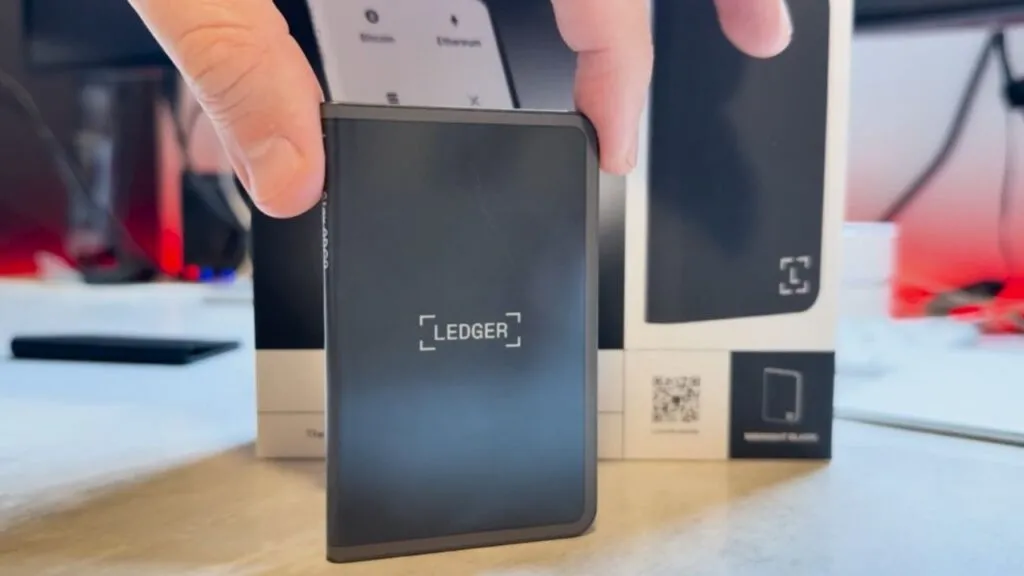
Before the pros and cons, the elephant in the room: why does the Stax cost so much?
The Tony Fadell factor. Ledger teamed up with Tony Fadell to redesign the hardware wallet experience. It is not just marketing, because Fadell shaped the device architecture and user experience.
A curved E Ink display. The Stax uses a curved E Ink touchscreen that wraps around the device, which was hard to manufacture. Ledger's CEO said that getting the curved E Ink display to wrap around the device was the main thing holding up the launch.
Premium materials and design. Unlike plastic competitors, the Stax uses a black aluminum-style body with embedded magnets for stackability and supports wireless charging, features no other Ledger model offers.
What Are The Pros And Cons Of The Ledger Stax For Canadians?
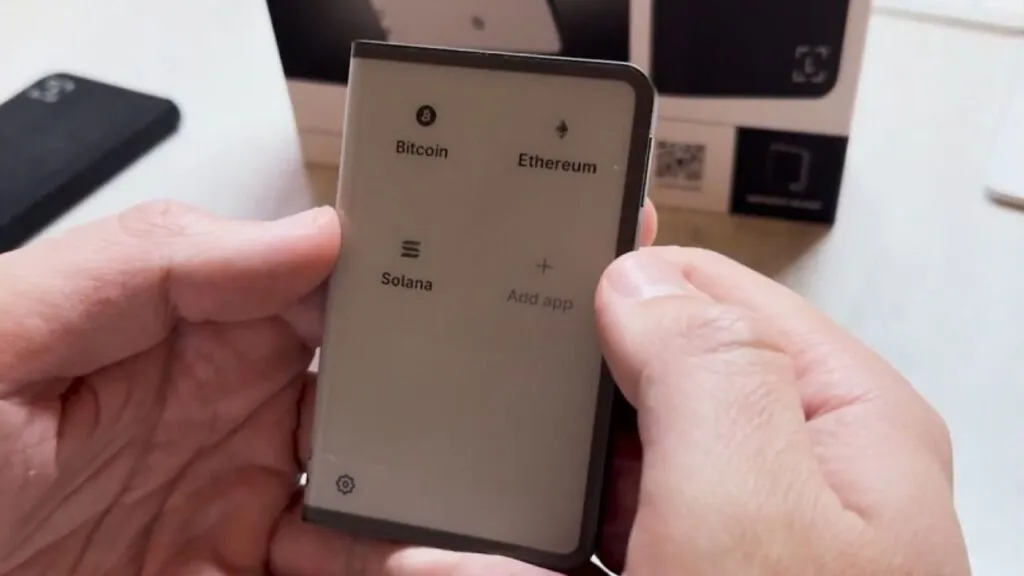
Pros
Curved E Ink touchscreen. The 3.7-inch curved E Ink touchscreen is not just for show. The curve lets you name the spine so you can tell devices apart, like books on a shelf. E Ink, the technology in Kindle e-readers, reads well in any light and sips battery.
The same security as Flex, with a premium experience. The Stax shares its security with the cheaper Flex, the same CC EAL6+ secure element connected straight to the touchscreen. The extra money buys experience, not better security.
Wireless Qi charging. Unlike the Ledger Flex, the Stax charges wirelessly, and the E Ink screen gives it a long battery life, with Ledger quoting 10 hours of autonomy. You need to buy a Qi charger yourself.
Stackable design. Embedded magnets let you stack several Stax devices like credit cards, each spine showing its wallet name, handy if you run separate wallets.
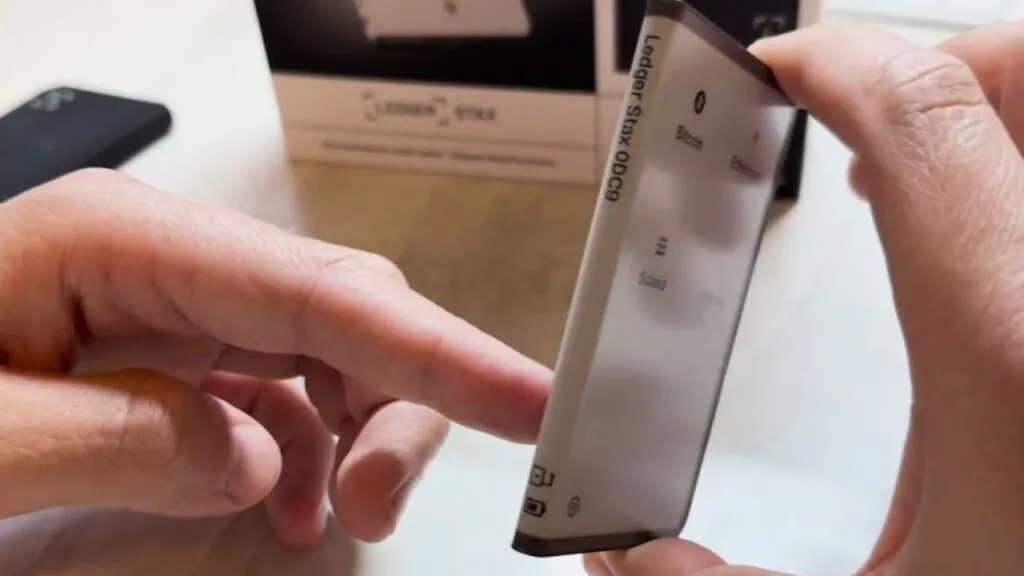
NFT display. You can view NFTs on the touchscreen and use one as the lock screen. The always-on E Ink display shows your favourite NFT even when the device is off.
Wide asset support. The Ledger Wallet app supports thousands of cryptocurrencies. My original text quoted 5,500-plus tokens, but Ledger's current pages only say "1000s", so I am not repeating the older count.
Connectivity. Bluetooth and NFC give you options on both desktop and mobile.
A security key for 2FA. Like the Flex, the Stax can act as a FIDO2 passkey for logins on services like Coinbase, Google and Amazon.
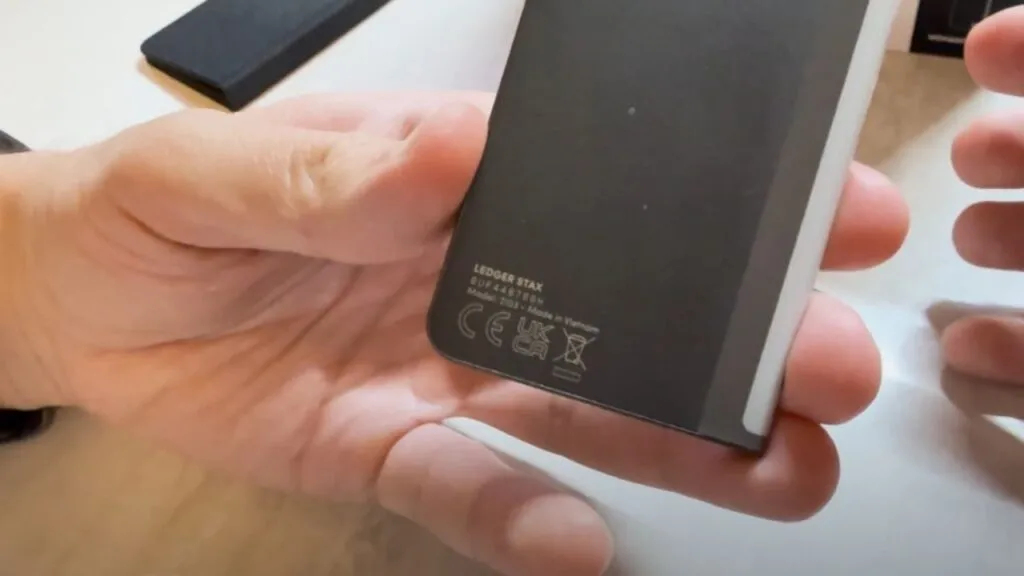
Cons
A very high price. It costs far more than the other Ledger models, such as the Nano X and Nano S Plus. Core security is comparable, so you are paying for design and convenience.
Closed-source software, like Flex. The Stax has the same transparency issue as other Ledger devices. Unlike competitors with open-source firmware, it connects the secure element chip straight to the touchscreen using Ledger's proprietary BOLOS system, which cannot be publicly audited. To address trust concerns, Ledger says it undergoes regular third-party security audits, publishes security documentation and uses a tamper-resistant secure element, and it runs bug bounty programs and works with researchers.
What Is In The Ledger Stax Box?
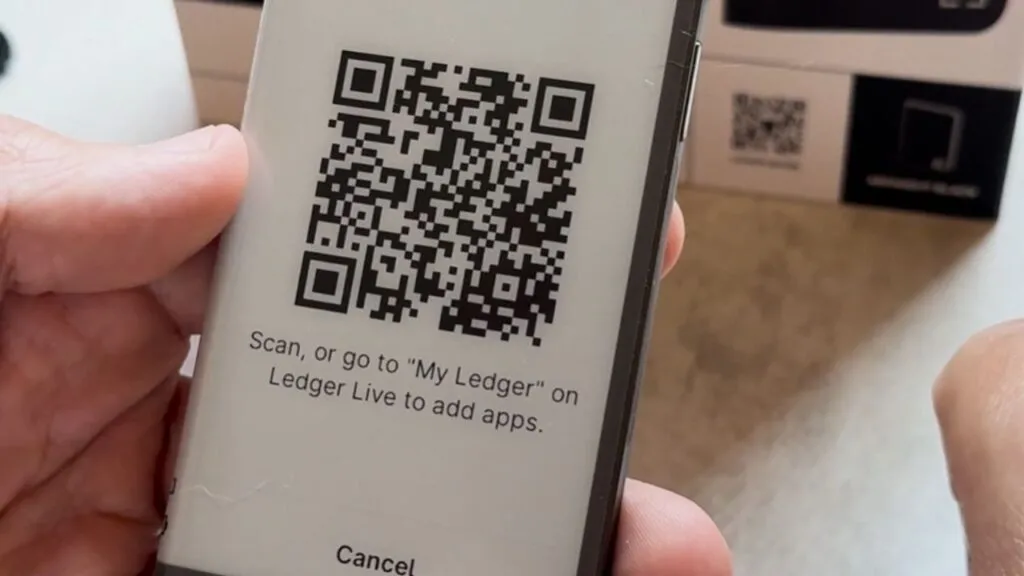
The box I received included:
- 1 Ledger Stax wallet
- 1 USB-C to USB-C cable
- 1 Magnetic shell case (a premium feature not included with Flex)
- 3 Recovery Sheets
- Ledger Stax user manual
Ledger's store confirms the Magnet Shell protection is included. The premium packaging reflects the premium price, with higher-quality materials than standard Ledger packaging.
How Do You Use The Ledger Stax?
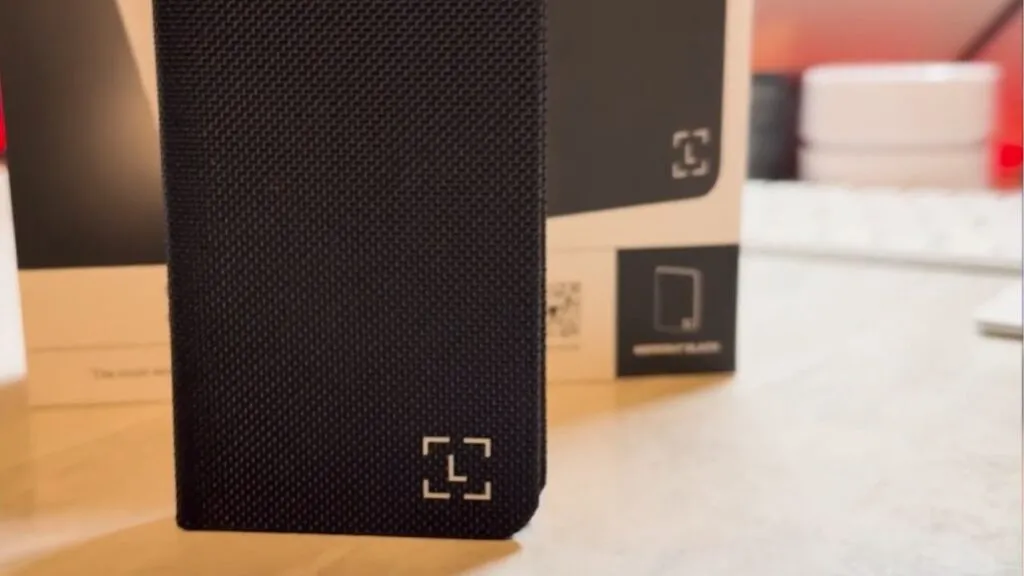
The setup is the same as on the Flex, but the larger curved touchscreen makes every step more comfortable.
Initial setup. Press and hold the power button to turn on the screen. The big display makes navigation much more pleasant than on smaller Ledger devices.
Ledger Live connection. Install Ledger's app and connect by USB-C or Bluetooth. The screen makes verifying pairing codes easier.
PIN and recovery. Set your PIN on the large touchscreen keyboard, which is friendlier than button navigation. Generate your 24-word recovery phrase and write it down carefully.
Apps and accounts. Installing crypto apps and managing accounts is more intuitive on the larger screen.
Premium features. Set up wireless charging, customize the lock screen with NFTs and name the spine for when you stack devices.
Is The Ledger Stax Safe?
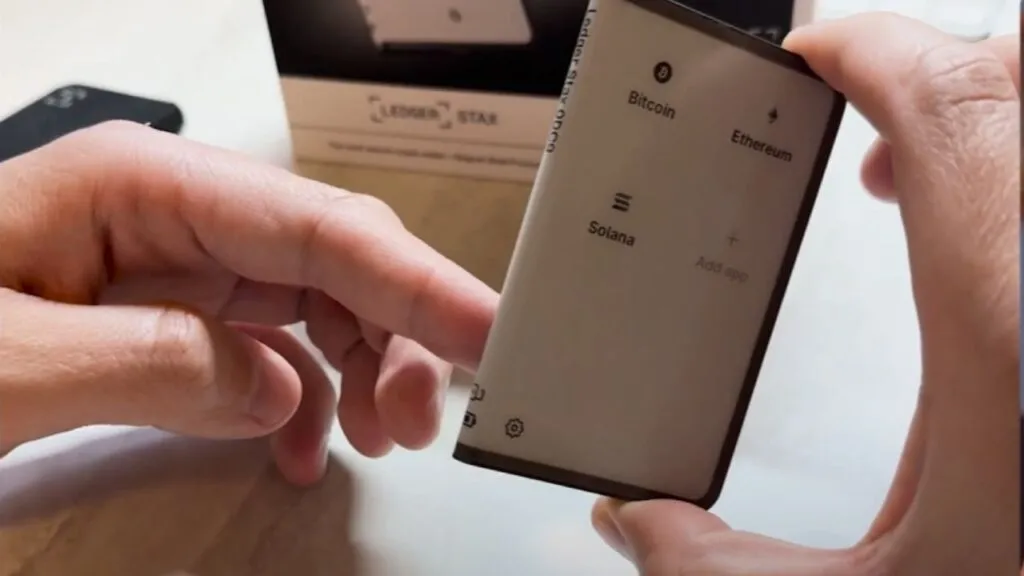
The Stax shares the security foundation of other Ledger devices: an EAL6+ secure element chip. Security-wise it is the same as the much cheaper Flex.
The key advantage is the secure touchscreen. The secure element connects directly to the screen, which removes an attack route where malicious firmware could change what you see. As far as I know, no successful hack of the Stax itself has been reported, though I have no regulator or vendor statement to cite for that.
Security best practices:
- Buy only from ledger.com or authorized retailers
- Store your 24-word phrase offline (I recommend Stampseed, with my promo code OCRYPTOCANADA for 15% off)
- Check firmware updates through the official Ledger app
- Use the device's own screen to verify every transaction detail
What Is My Opinion On The Ledger Stax?
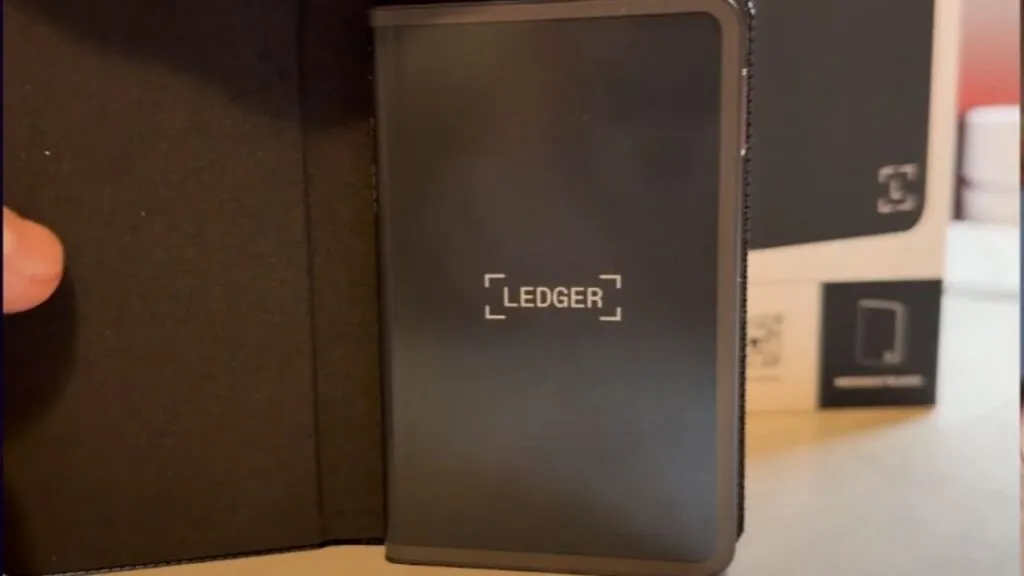
The Ledger Stax is a premium lifestyle product disguised as a security device. Here is my honest take.
For whom it makes sense:
- Design-conscious users who value aesthetics and premium feel
- NFT enthusiasts who like displaying and managing NFTs on the device
- High-volume traders who manage lots of assets
- People who run several hardware wallets and like the stackable system
- Anyone who wants the iPhone of hardware wallets and does not mind paying for design
For whom it does not make sense:
- Budget-conscious users who put security ahead of aesthetics
- Long-term holders who rarely touch their crypto
My personal recommendation: if you hold significant crypto (over $50k), manage your portfolio often, love premium design and want the best experience money can buy, the Stax justifies its price. For most people, the Ledger Flex offers nearly identical functionality and the Nano X gives the same core security. The Stax is like buying a luxury car: you pay for materials, design and brand, not necessarily better performance under the hood.
Again, if you decide to buy a Ledger after my review, I would appreciate it if you use my referral link. It helps support this channel.
What Changed For The Ledger Stax In October 2026?
- : Ledger's store lists the Stax at US$399, in stock, with the Magnet Shell included
- : the product page shows 149 customer reviews and a 4.6 average, and describes Bluetooth, NFC, Qi charging and a 2FA passkey
- : Ledger's range now also includes Ledger Nano Gen5 and Ledger Flex alongside the Stax and the Nano Classics
What Is My Final Verdict On The Ledger Stax?
The Ledger Stax is the most expensive hardware wallet in Ledger's range because it is the most premium one. Whether that premium is worth it depends entirely on how much you value design, user experience and crypto lifestyle over pure functionality. If you are just getting started, the cheaper Ledger models or other brands on my best crypto wallets for Canadians list do the same security job. If you are still choosing an exchange to fund it, start with my best crypto exchanges.
Has Ledger Had Security Problems?
Here is every documented security issue I could confirm for Ledger, newest first, with what it meant for owners and what was done about it.
- : Security Bulletins 023, 024, 025: signing-review bypasses. Three bugs let a compromised host or crafted transaction make the device display one thing while signing another: interleaved commands during review, a 16-bit to 8-bit array count truncation in the Ethereum app, and a swap flow that signed a token approval unseen. Could cause users to sign unintended operations if the host was malicious; Ledger has no evidence of exploitation against users. Hardened apps from August 13, Secure SDK v26.6.1 on August 21, Ethereum app 1.22.3 on August 25. (source)
- : Security Bulletin 022: Monero app key recovery. The Monero app returned an internal hash state that let a compromised computer recover the secret view and spend keys without user confirmation. Monero users on affected app versions, only with a compromised host and unlocked device; no evidence of exploitation. Fixed in Monero app 2.1.4 (March 2026), disclosed June 4 2026. (source)
- : Global-e order data incident. Global-e, Ledger's international payments partner, had unauthorised access to its cloud; Ledger notified customers whose order data was involved. Names and contact/order details of affected international buyers; not Ledger systems, no wallet data or funds. Ledger notified customers and reminded them it never asks for a recovery phrase. (source)
- : Security Bulletin 021: firmware update parameter not validated. The bootloader accepted an unvalidated reset-handler address during an MCU update, allowing a permanent brick or code execution at boot. Device could be bricked; Ledger says funds were never at risk. Fixed with signed validation in Nano X 2.4.2, Flex 1.2.2 and Stax 1.6.2 and later. (source)
- : Ledger Connect Kit supply-chain attack. A former employee was phished and the attacker published malicious Connect Kit versions 1.1.5 to 1.1.7 on npm, which drained wallets of users signing in affected dApps. EVM dApp users signing during about 5 hours (assets drained for under 2 hours); no hardware wallet or seed was compromised. Ledger shipped a clean 1.1.8 within 40 minutes of learning of it and worked with WalletConnect to disable the rogue project; Tether froze some funds. (source)
- : Ledger Recover controversy. Ledger announced an optional paid seed-backup service, Ledger Recover, which splits an encrypted seed across three companies; users objected that firmware could therefore export a seed. No funds lost; the debate was about trust, since the firmware ability to extract the seed existed. CEO Pascal Gauthier apologised for the rollout communication; Ledger kept Recover opt-in and said it would open-source more code. (source)
- : E-commerce and marketing database breach. A third party used a misconfigured API key to reach Ledger's shop and marketing database; the data was later dumped online. About 1 million email addresses, and name, address and phone for roughly 272,000 customers, were exposed; no funds, seeds or devices were affected, but customers were targeted by phishing and physical-threat letters. Ledger closed the key, notified CNIL and customers, and published an update after the leak was dumped in December 2020. (source)
How Does Ledger Stax Compare?
| Wallet | Price | Connection | Secure Element | |
|---|---|---|---|---|
| Ledger Stax | USD 399 (US shop listing); CA$ price loads dynamically and was not captured | USB-C, Bluetooth, NFC, Qi wireless charging | CC EAL6+ certified Secure Element | |
| Trezor Safe 7 | USD 249 | Bluetooth (open-source encrypted), USB-C to USB-C cable, Qi2 wireless charging | TROPIC01 (auditable) plus NDA-free EAL6+ Optiga secure element plus STM32U5 microcontroller: three chips from three vendors | Full comparison |
| Ledger Flex | USD 249 and CA$369 on the Canadian storefront; free shipping, usually ships within 24 hours | Bluetooth (BLE 5.2), NFC, USB-C | ST33K1M5 Secure Element, Common Criteria EAL6+ | Full comparison |
| Trezor Safe 5 | USD 129 | USB-C to USB-C cable; no Bluetooth | certified EAL6+ Secure Element (single); Trezor Safe 7 is the model with the dual and TROPIC01 design | Full comparison |
Frequently Asked Questions
How Much Does The Ledger Stax Cost?
Ledger's store lists the Stax at US$399 with the Magnet Shell included. I paid C$599 when I bought mine, and the price you pay in Canada depends on checkout, so confirm it on shop.ledger.com.
Is The Ledger Stax More Secure Than The Ledger Flex?
No. Both use the same class of EAL6+ Secure Element chip connected to the touchscreen. The Stax costs more for its curved E Ink screen, wireless charging and design.
Does The Ledger Stax Support Qi Wireless Charging?
Yes. Ledger lists 10-hour battery autonomy and Qi charging. The charger is not included.
Is The Ledger Stax Open Source?
No. Like other Ledger devices it runs the proprietary Ledger OS, which cannot be publicly audited. Ledger says it commissions third-party audits and runs a bug bounty.
Who Should Buy The Ledger Stax?
People with large holdings who manage their wallet often and want a premium screen and design. For most people the Ledger Flex or a Nano model does the same security job for less.
Can The Ledger Stax Work As A 2FA Security Key?
Yes. Ledger lists a 2FA passkey feature, and the device is FIDO2-compliant, so you can use it to secure logins on services such as Coinbase, Google and Amazon.