

The Ledger Flex is a premium hardware wallet with a 2.8 inch E Ink touchscreen, Bluetooth, NFC and USB-C connections and a CC EAL6+ Secure Element chip. Ledger lists it at USD 249 and says it works with 500+ coins through the Ledger Wallet app, with thousands more through third-party wallets. It was my number one in my test of the best crypto wallets for Canadians, and it is the one I would buy if you want a screen you can read transactions on.
- PriceUSD 249 and CA$369 on the Canadian storefront; free shipping, usually ships within 24 hours
- Secure ElementST33K1M5 Secure Element, Common Criteria EAL6+
- ConnectionBluetooth (BLE 5.2), NFC, USB-C
- Backup24-word Secret Recovery Phrase; Ledger Recovery Key (NFC) now included with the Flex; optional paid Ledger Recover (Coincover), availability...
- Open Sourceno (Ledger OS is not fully open source; Ledger's own pages do not claim open-source firmware)
Tested on camera: my video review, published May 31, 2025. Watch it on YouTube
 Watch my video review
As a Canadian crypto enthusiast with years of experience managing digital assets, I have tested numerous hardware wallets for my rating of the best crypto wallets for Canadians (spoiler: Ledger Flex was number one after my test). From the Ledger Nano series to the Tangem card wallet, each has its strengths and weaknesses. In this review I share my insights on the Ledger Flex.
My name is Oleg G., and having been in the crypto space since 2016, I have learned that self-custody is the gold standard for protecting your assets. Here is what makes the Flex special, how it fits the needs of Canadians, and whether it is the right choice for securing your crypto.
| Detail | Info (From Ledger's Shop) |
|---|---|
| Price | USD 249 |
| Screen | 2.8 inch E Ink touchscreen, 480 x 600 px, Gorilla Glass, anti-glare |
| Connections | Bluetooth (BLE 5.2) for iOS and Android, NFC for the Recovery Key and Security Key, USB-C for desktop |
| Security Chip | Secure Element ST33K1M5, Common Criteria EAL6+ |
| Coins | 500+ through the Ledger Wallet app, thousands more through third-party wallets |
| Battery | About 10 hours of use |
| Size And Weight | 78.4 x 56.5 x 7.7 mm, 57.5 g. Aluminium frame and plastic back |
| In The Box | Flex, USB-C to USB-C cable, 1 recovery sheet, 1 Ledger Recovery Key, guide |
| Not Suitable For | Chromebooks, mining |
What Is The Ledger Flex And Who Is It For?
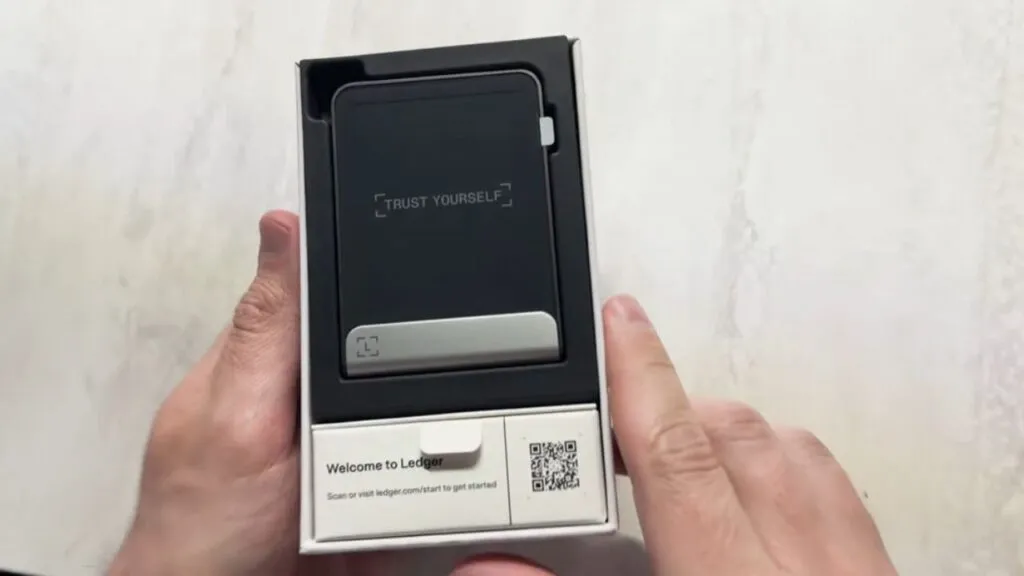
The Ledger Flex is a premium hardware wallet that combines strong security with a modern, easy design. Its standout feature is the E Ink touchscreen, which lets you verify a transaction directly on the device. Unlike older wallets with buttons or no screen, the Flex has a Kindle-like display that is efficient and customizable, so you can show an image of your own on the lock screen. Ledger now calls its devices signers rather than hardware wallets, but the job is the same: your keys stay on the device and it only signs what you approve.
For Canadians it works with the exchanges I use every day, such as NDAX and Newton: withdraw to your Flex address and confirm the address on the screen. Ledger also works with Koinly, which helps with crypto tax reporting in Canada and the CRA's cryptocurrency guidance.
What Coins Does The Ledger Flex Support?
Ledger says 500+ coins and tokens can be managed directly in the Ledger Wallet app, including Bitcoin, Ethereum, Solana and XRP, with new ones added regularly, and thousands more through third-party wallets. That covers major coins like Bitcoin, Ethereum, Cardano and Solana. The tradeoff is app storage: the Flex has limited space, so you may need to uninstall an app to add a new one.
How Does The Ledger Flex Work?
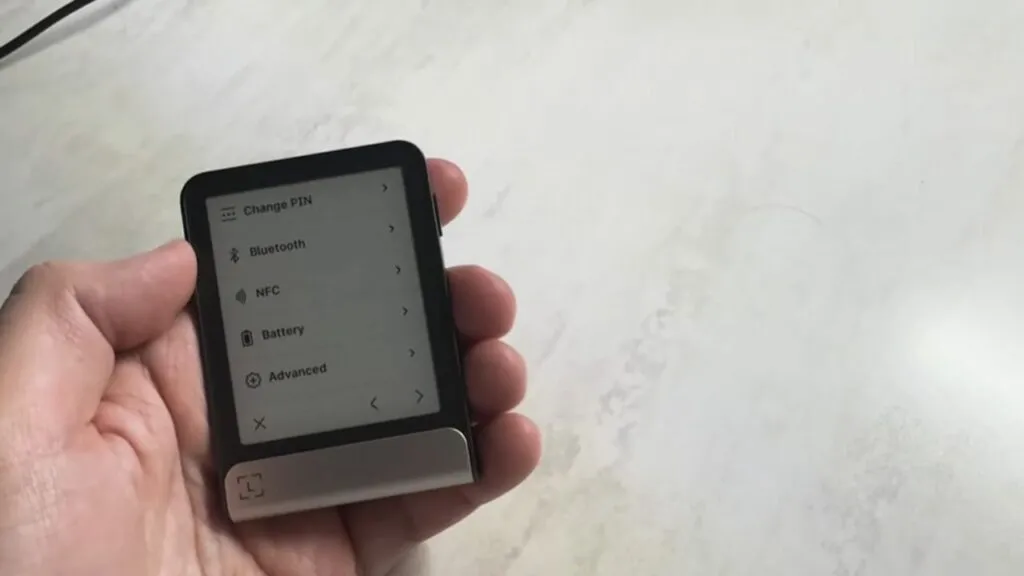
The Flex stores your private keys offline in a Secure Element chip, protecting them from online threats like hacking or malware. Software wallets keep keys on an internet-connected device. With the Flex, your crypto stays on the blockchain, and the device only holds the keys and signs transactions after you approve them on its screen.
The E Ink touchscreen shows the transaction details you are signing, so malware on a connected phone or computer cannot quietly change what you approve. You connect over Bluetooth, USB-C or NFC and use the Ledger Wallet app to manage your portfolio, stake and swap. The battery gives about 10 hours of use and the device is small enough to carry.
How Do You Set Up The Ledger Flex?
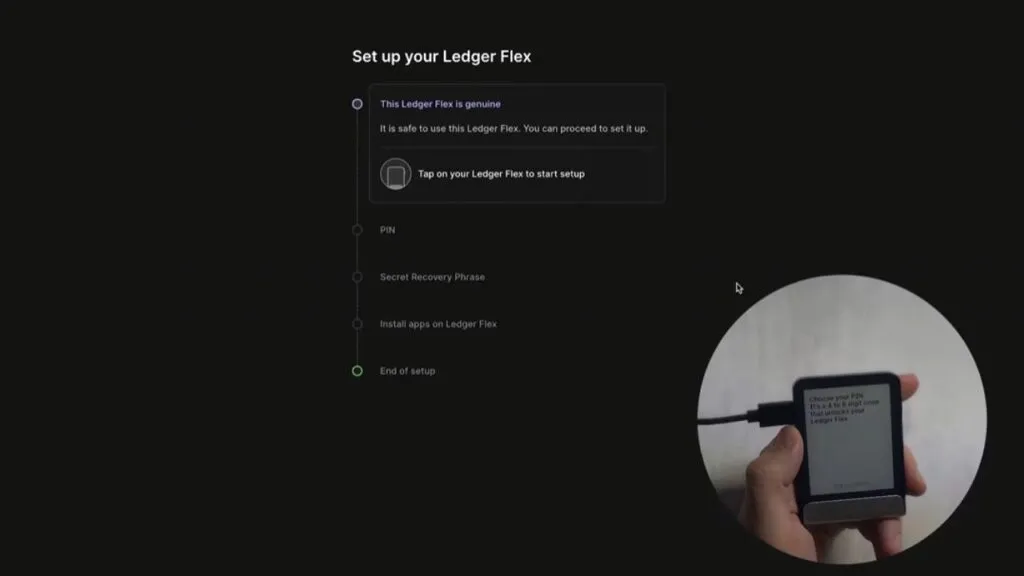
- Get the app. Download Ledger Wallet (Ledger Live) from the App Store, Google Play or Ledger’s website for desktop.
- Connect the device. Use the included USB-C cable, or pair by Bluetooth on a phone.
- Create the wallet. Follow the touchscreen prompts and write the recovery phrase on the recovery sheet. Keep it offline and never photograph it.
- Set a PIN. Three wrong attempts in a row reset the Flex to factory settings.
- Install apps. Add the coins you want from the app.
- Send and receive. To receive, generate an address in the app and verify it on the Flex screen. To send, enter the address, check the details on the device and sign with your PIN.
The Flex also comes with a Ledger Recovery Key, an NFC card that acts as a private PIN-protected backup of your access, on top of the paper recovery sheet. For exchange withdrawals I prefer USB-C for maximum security, though the Bluetooth option is handy on mobile.
What Is In The Ledger Flex Box?
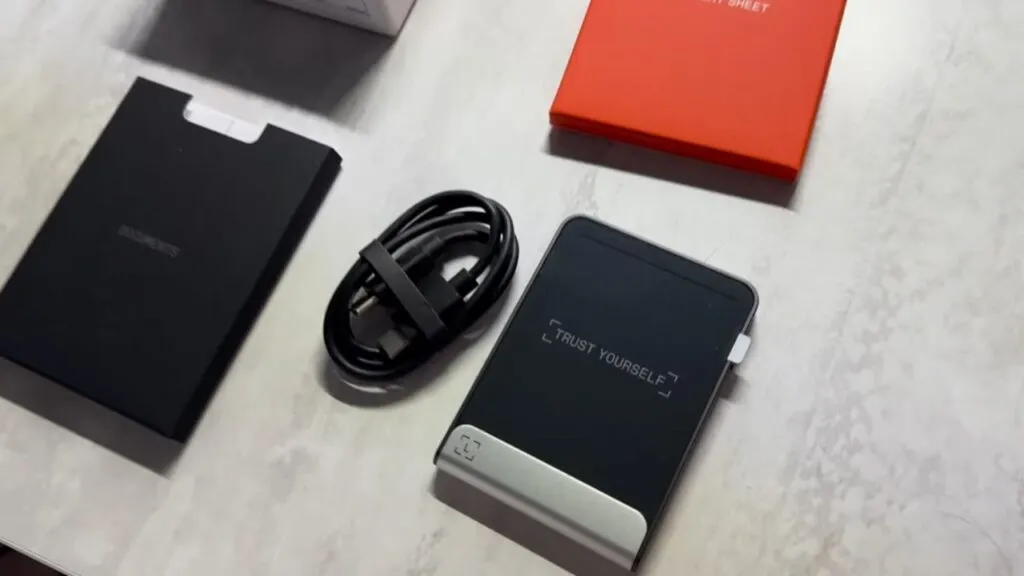
The box is minimal: the Flex, a USB-C to USB-C cable, a recovery sheet, a Ledger Recovery Key and a guide. The cable is short, which is fine for a laptop and awkward for a desktop tower. The aluminium frame and plastic back feel premium without being heavy.
Is The Ledger Flex Safe?
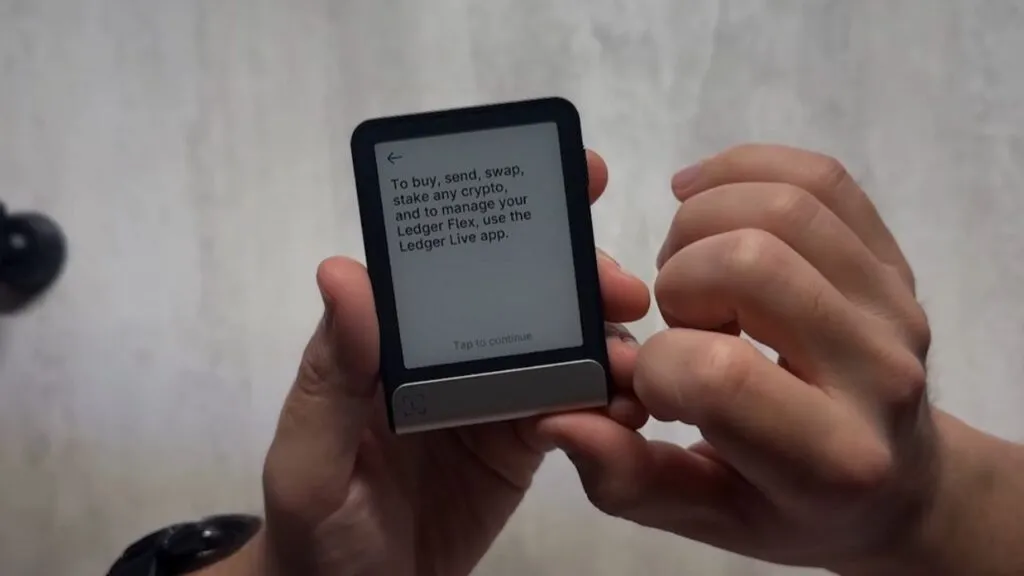
The Flex is among the safest hardware wallets available. Its Secure Element chip is certified to Common Criteria EAL6+ and stores your keys offline, and the secure touchscreen lets you verify transaction details on the device itself. Ledger explains that a thief with your device still cannot get in without your PIN, and three wrong PINs wipe it. A 24-word recovery phrase is your backup if the device is lost or damaged.
Buy only from Ledger's official shop to avoid tampered devices, and keep your recovery phrase offline. Ledger's operating system is closed source, which some people dislike, and the 2023 Ledger Recover feature, which splits an encrypted copy of your recovery phrase across custodians, was controversial. It is optional.
How Does The Ledger Flex Compare To Tangem And SafePal?
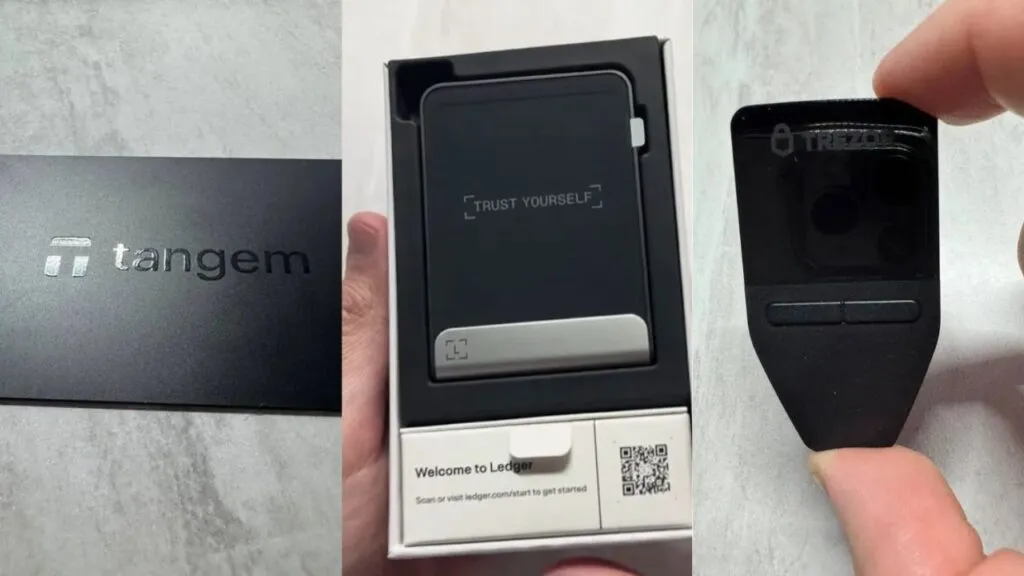
Prices below are as each vendor's official site showed them on October 2, 2026.
| Feature | Ledger Flex | Tangem | SafePal S1 |
|---|---|---|---|
| Price | USD 249 | USD 54.90 (2 cards), 69.90 (3 cards) | USD 49.99 |
| Assets | 500+ in app, thousands via third parties | 14,100+ tokens on 90+ networks | 200+ blockchains |
| Connection | Bluetooth, USB-C, NFC | NFC, tap to a phone | QR codes, no Bluetooth |
| Screen | 2.8 inch E Ink touchscreen | None, confirm on phone | 1.3 inch IPS colour |
| Security Chip | CC EAL6+ | CC EAL6+ | CC EAL6+ |
| Works With | Mobile and desktop | Mobile app | SafePal app |
On price, Tangem and SafePal win by a wide margin. On usability, the Flex's screen means you confirm everything on the device itself. Tangem relies on your phone, which is less hands-on. All three use an EAL6+ certified chip. For my full thoughts see the Tangem review and the SafePal review, and my Trezor Model T review for the open-source option.
What Are The Ledger Flex Downsides?
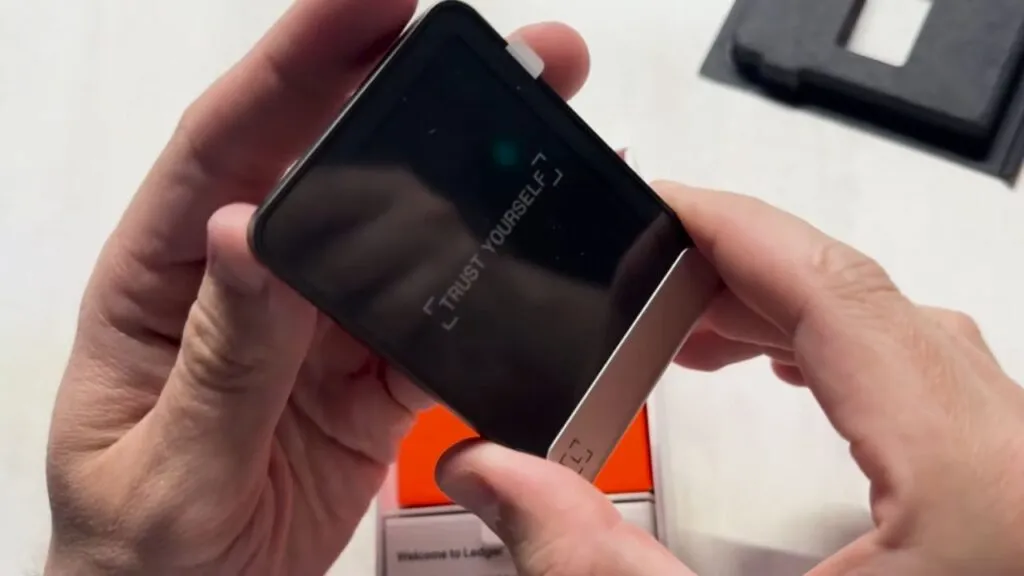
The Flex has quirks. The limited app storage means I cannot keep every coin app installed at once. The short cable is a minor annoyance. At USD 249 it feels steep next to Tangem or SafePal, especially for users who do not need a screen.
As someone in the crypto space since 2016, I have also noticed why many experienced users are not fully sold on Ledger. Its closed-source operating system raises red flags for purists who value transparency, unlike Trezor's open-source approach. On forums like Reddit I have seen users argue that closed-source wallets demand blind trust. The 2023 Ledger Recover controversy deepened the distrust. Even though it is optional, the idea that keys could leave the device, even encrypted, spooked many. I do not use Recover, but the episode makes me question Ledger's priorities.
How Is Ledger Flex Customer Support?
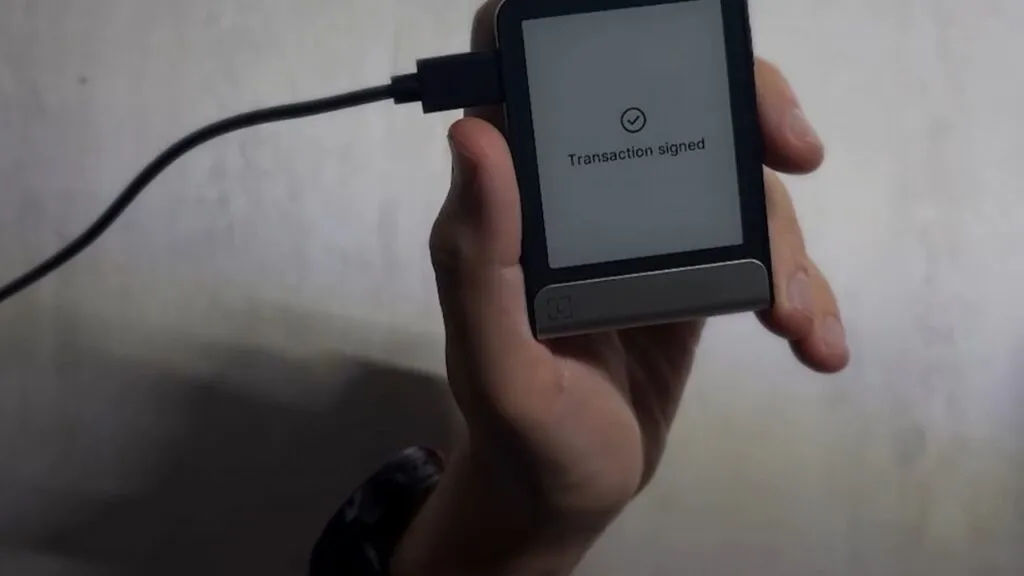
Ledger's support is generally reliable and the help center is thorough. When I reached out with a setup question I had a response within 24 hours. Online reviews mention occasional delays during busy periods, but most issues come from user error rather than device faults, and the app includes troubleshooting guides.
Is The Ledger Flex Worth Buying In 2026?
The Flex blends security, usability and style. The E Ink touchscreen, 500+ coins in the app, and Bluetooth, NFC and USB-C connections make it a top pick for Canadians who value direct transaction verification. If you are new to hardware wallets or want a premium experience, it is hard to beat. If budget matters or you prefer a minimalist, screenless design, Tangem is a compelling alternative. For me the Flex's balance of innovation and security makes it a worthy part of my toolkit. Buy a wallet before you move a large balance off an exchange: see my best crypto exchanges for Canadians for where to buy first.
What Changed For Ledger Flex In October 2026?
- Ledger's shop now bundles a Ledger Recovery Key with the Flex, an NFC card that acts as a private backup.
- Ledger's current lineup is the Nano Gen5, Flex, Stax and Nano S Plus, and it calls its devices signers.
- Ledger lists the Flex at USD 249 with 500+ coins supported in the Ledger Wallet app.
Has Ledger Had Security Problems?
Here is every documented security issue I could confirm for Ledger, newest first, with what it meant for owners and what was done about it.
- : Security Bulletins 023, 024, 025: signing-review bypasses. Three bugs let a compromised host or crafted transaction make the device display one thing while signing another: interleaved commands during review, a 16-bit to 8-bit array count truncation in the Ethereum app, and a swap flow that signed a token approval unseen. Could cause users to sign unintended operations if the host was malicious; Ledger has no evidence of exploitation against users. Hardened apps from August 13, Secure SDK v26.6.1 on August 21, Ethereum app 1.22.3 on August 25. (source)
- : Security Bulletin 022: Monero app key recovery. The Monero app returned an internal hash state that let a compromised computer recover the secret view and spend keys without user confirmation. Monero users on affected app versions, only with a compromised host and unlocked device; no evidence of exploitation. Fixed in Monero app 2.1.4 (March 2026), disclosed June 4 2026. (source)
- : Global-e order data incident. Global-e, Ledger's international payments partner, had unauthorised access to its cloud; Ledger notified customers whose order data was involved. Names and contact/order details of affected international buyers; not Ledger systems, no wallet data or funds. Ledger notified customers and reminded them it never asks for a recovery phrase. (source)
- : Security Bulletin 021: firmware update parameter not validated. The bootloader accepted an unvalidated reset-handler address during an MCU update, allowing a permanent brick or code execution at boot. Device could be bricked; Ledger says funds were never at risk. Fixed with signed validation in Nano X 2.4.2, Flex 1.2.2 and Stax 1.6.2 and later. (source)
- : Ledger Connect Kit supply-chain attack. A former employee was phished and the attacker published malicious Connect Kit versions 1.1.5 to 1.1.7 on npm, which drained wallets of users signing in affected dApps. EVM dApp users signing during about 5 hours (assets drained for under 2 hours); no hardware wallet or seed was compromised. Ledger shipped a clean 1.1.8 within 40 minutes of learning of it and worked with WalletConnect to disable the rogue project; Tether froze some funds. (source)
- : Ledger Recover controversy. Ledger announced an optional paid seed-backup service, Ledger Recover, which splits an encrypted seed across three companies; users objected that firmware could therefore export a seed. No funds lost; the debate was about trust, since the firmware ability to extract the seed existed. CEO Pascal Gauthier apologised for the rollout communication; Ledger kept Recover opt-in and said it would open-source more code. (source)
- : E-commerce and marketing database breach. A third party used a misconfigured API key to reach Ledger's shop and marketing database; the data was later dumped online. About 1 million email addresses, and name, address and phone for roughly 272,000 customers, were exposed; no funds, seeds or devices were affected, but customers were targeted by phishing and physical-threat letters. Ledger closed the key, notified CNIL and customers, and published an update after the leak was dumped in December 2020. (source)
How Does Ledger Flex Compare?
| Wallet | Price | Connection | Secure Element | |
|---|---|---|---|---|
| Ledger Flex | USD 249 and CA$369 on the Canadian storefront; free shipping, usually ships within 24 hours | Bluetooth (BLE 5.2), NFC, USB-C | ST33K1M5 Secure Element, Common Criteria EAL6+ | |
| Trezor Safe 7 | USD 249 | Bluetooth (open-source encrypted), USB-C to USB-C cable, Qi2 wireless charging | TROPIC01 (auditable) plus NDA-free EAL6+ Optiga secure element plus STM32U5 microcontroller: three chips from three vendors | Full comparison |
| Tangem Wallet | 2-card set USD 54.90; 3-card set USD 69.90; Family Pack USD 129.80; Ring and 2 cards USD 160; Pro Kit USD 180 (prices shown in USD to a US visitor) | NFC only (no battery, no cable) | EAL6+ certified chip, Samsung-developed per Tangem; IP69K | Full comparison |
| OneKey Pro | USD 278 (shown in USD); free shipping advertised | USB-C, Bluetooth, NFC and air-gapped QR signing; Qi2 wireless charging | four EAL 6+ secure elements | Full comparison |
Frequently Asked Questions
How Much Does The Ledger Flex Cost In Canada?
Ledger lists the Flex at USD 249. The CAD amount depends on the exchange rate and shipping at checkout, so confirm it on Ledger's shop.
What Coins Does The Ledger Flex Support?
Ledger says 500+ coins and tokens are supported in the Ledger Wallet app, including Bitcoin, Ethereum, Solana and XRP, with thousands more through third-party wallets.
Is The Ledger Flex Safe?
It uses a Secure Element chip certified to Common Criteria EAL6+, keeps keys offline and wipes the device after three wrong PINs. Keep your recovery phrase offline and buy only from Ledger's shop.
What Is Ledger Recover?
An optional service from 2023 that splits an encrypted copy of your recovery phrase among custodians. You do not need it, and I do not use it.
How Does The Ledger Flex Connect?
By Bluetooth to iOS and Android, by USB-C to a desktop, and by NFC for the Recovery Key and Security Key.
Ledger Flex Or Tangem?
The Flex has a real screen and USD 249 price. Tangem is much cheaper, has no screen and relies on your phone. I would pick the Flex for a bigger balance and Tangem for a budget setup.